How to Create a Board in Kanban Pro in Zendesk
-
Kanban Pro

Kanban Pro for Zendesk lets you create boards that match the way your team works. Whether you need a private workspace for personal task management or a shared board for team collaboration, the setup process is quick and flexible. In just a few steps, you can create a board, define the tickets it should display, and customize it to fit your workflow.
Creation Process
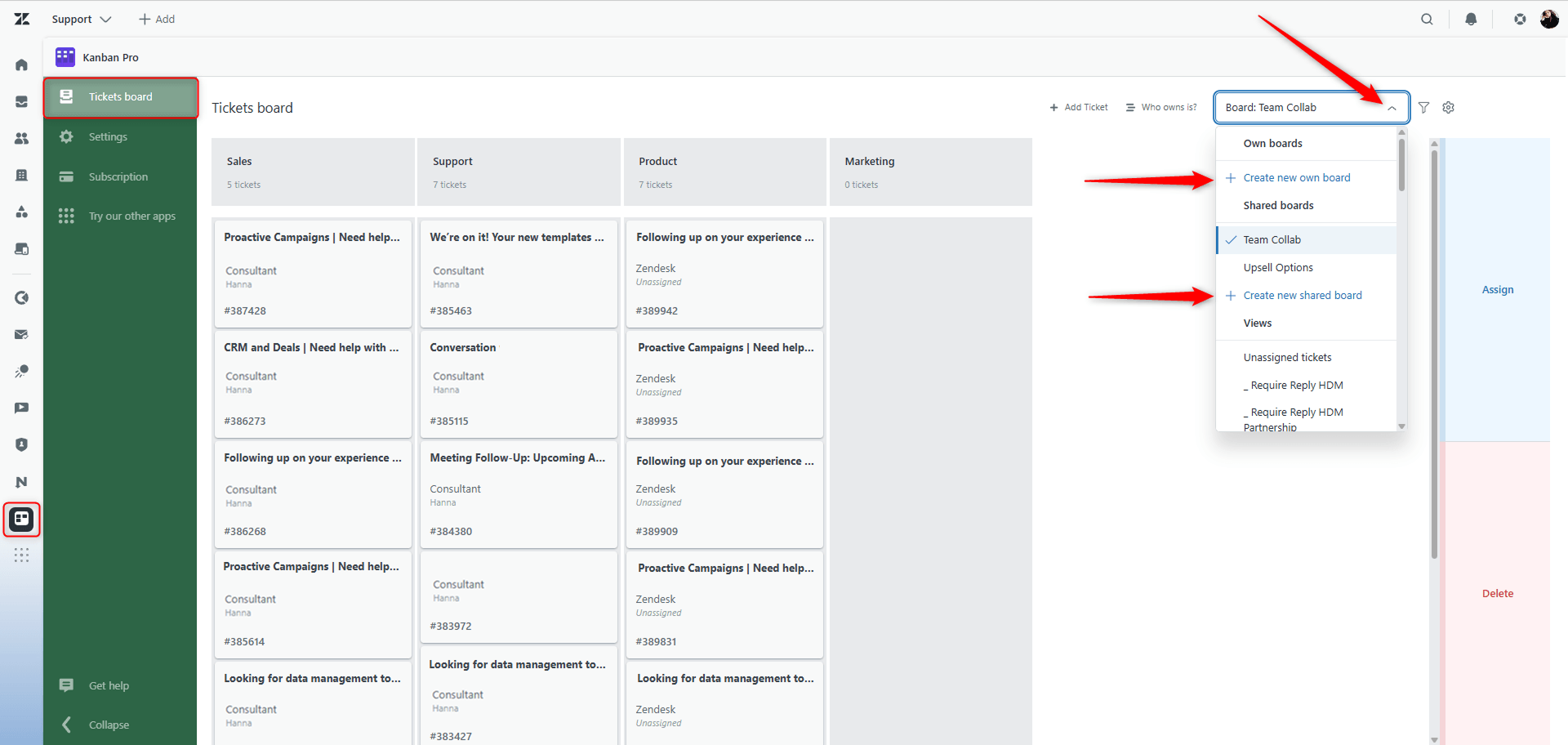
To create any type of board, select the Ticket board tab in Kanban Pro and open the drop-down menu. Then choose one of the two options - Create new board or Create new shared board.
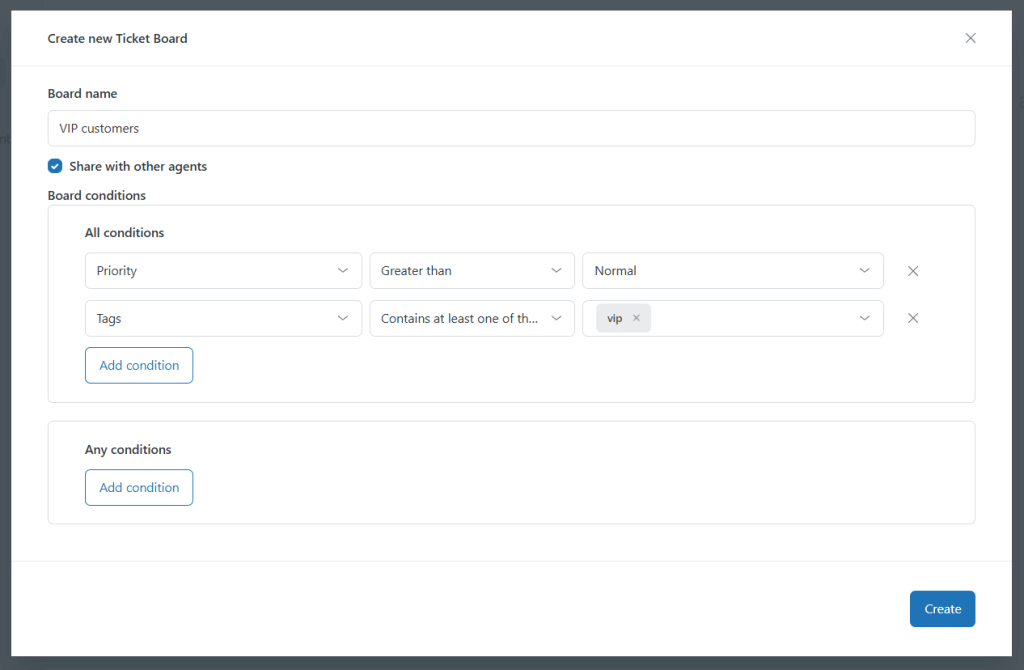
Next, set up the conditions that determine which tickets appear on your board.
Click Add condition, select ticket fields (like priority, status, or custom tags), and define the value. You can add as many conditions as needed to fine-tune your board’s view.
Need to know the difference between board types? Check out the article to see the comparison.
If you have any questions or problems on any stage, contact our support team anytime.