Respond Faster to Service Outages Without Losing Control
Support teams face a surge of incoming tickets, customers demand immediate updates, and internal teams need a single source of truth to coordinate their response.
GrowthDot helps organizations manage incidents directly inside Zendesk by combining proactive communication, visual ticket management, and data recovery tools that keep operations running smoothly—even during high-pressure situations.
Maintain control and data integrity, even in the middle of a crisis.
Service Outages Create Operational Chaos
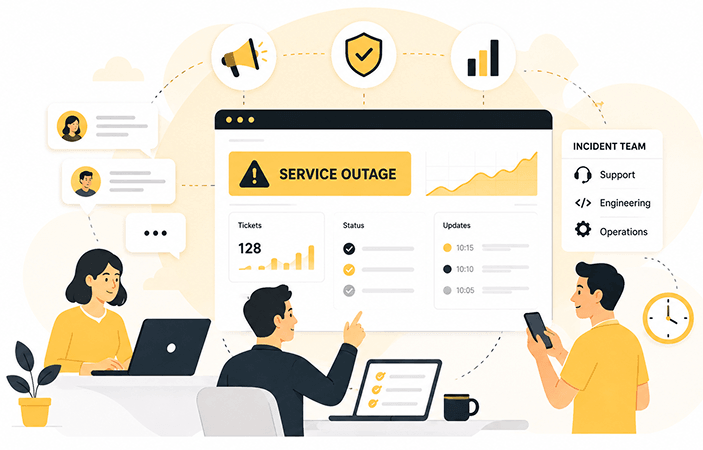
A critical outage can quickly overwhelm even experienced support teams.
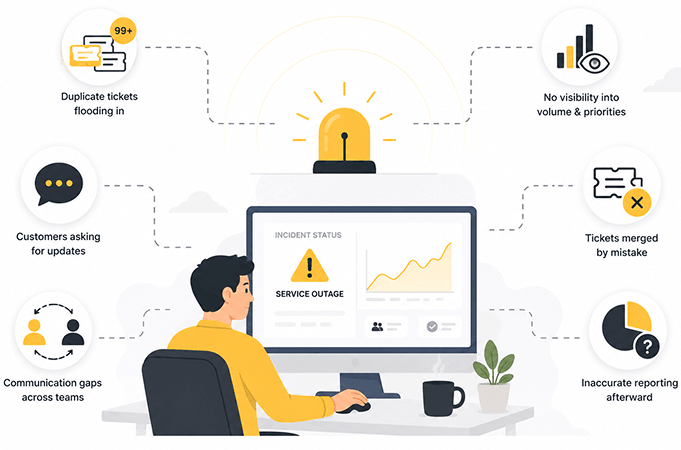
Common challenges include:Hundreds of duplicate support tickets flooding Zendesk
Customers repeatedly requesting updates
Engineering teams lacking visibility into ticket volume and priorities
Inconsistent communication across departments
Accidentally merged tickets during high-volume periods
Reporting inaccuracies after the incident is resolved
All in one Incident Management
Instantly Notify Affected Customers
With Proactive Campaigns for Zendesk, support teams can immediately send incident notifications to affected users.
Keep customers informed with:Service outage announcements
Maintenance notifications
Status updates
Resolution confirmations
Post-incident communications
Centralize Incident Tracking
Kanban Pro for Zendesk transforms tickets into visual workflows, helping teams manage incidents from detection to resolution.
Create a dedicated Incident Management board where tickets move through stages such as:
New Incident
Investigation
Engineering Review
Fix in Progress
Monitoring
Resolved
Protect Data Accuracy During High-Volume Events
When ticket volume spikes, mistakes happen.
Agents may accidentally merge unrelated customer tickets while trying to reduce duplicates and clear queues.
With GDPR Compliance for Zendesk, teams can use the Unmerge Tickets feature to restore tickets that were merged incorrectly.
This ensures:Accurate reporting
Complete customer histories
Reliable incident metrics
Better post-incident analysis
How the Workflow Works
Incident Detected
A service outage or critical issue impacts customers.
Mass Notification Sent
Proactive Campaigns instantly informs affected users about the issue and expected next steps.
Incident Board Activated
All incident-related tickets are automatically routed to a dedicated Kanban board.
Teams Collaborate
Support, operations, and engineering teams track progress visually and manage ownership throughout the resolution process.
Data Integrity Protected
If tickets were merged incorrectly during the incident, agents can restore them to preserve reporting accuracy.
Resolution Communication
Customers receive confirmation when service is restored and the incident is resolved.
Prevent Incidents Faster
Featured Apps

Proactive Campaigns
Send mass outage notifications, maintenance alerts, and customer updates.
Starting from $4.17 / agent / month

Kanban Pro for Zendesk
Visualize incident workflows and coordinate ticket resolution across teams.
Starting from $6 / agent / month

GDPR Compliance
Restore mistakenly merged tickets and maintain reporting accuracy.
Starting from $41.70 / subdomain / month
Perfect For
Take Control of Incident Management in Zendesk
Keep customers informed, coordinate teams
efficiently, and maintain data integrity during
service disruptions with GrowthDot's Zendesk apps.