Attachment deletion add-on via GDPR Compliance
Attachments are gone in a snap - make your Zendesk tickets clutter-free!
Say goodbye to manual redaction. Delete attachments individually or in bulk. Meet Zendesk storage limits. Comply with GDPR. Clean your workspace!
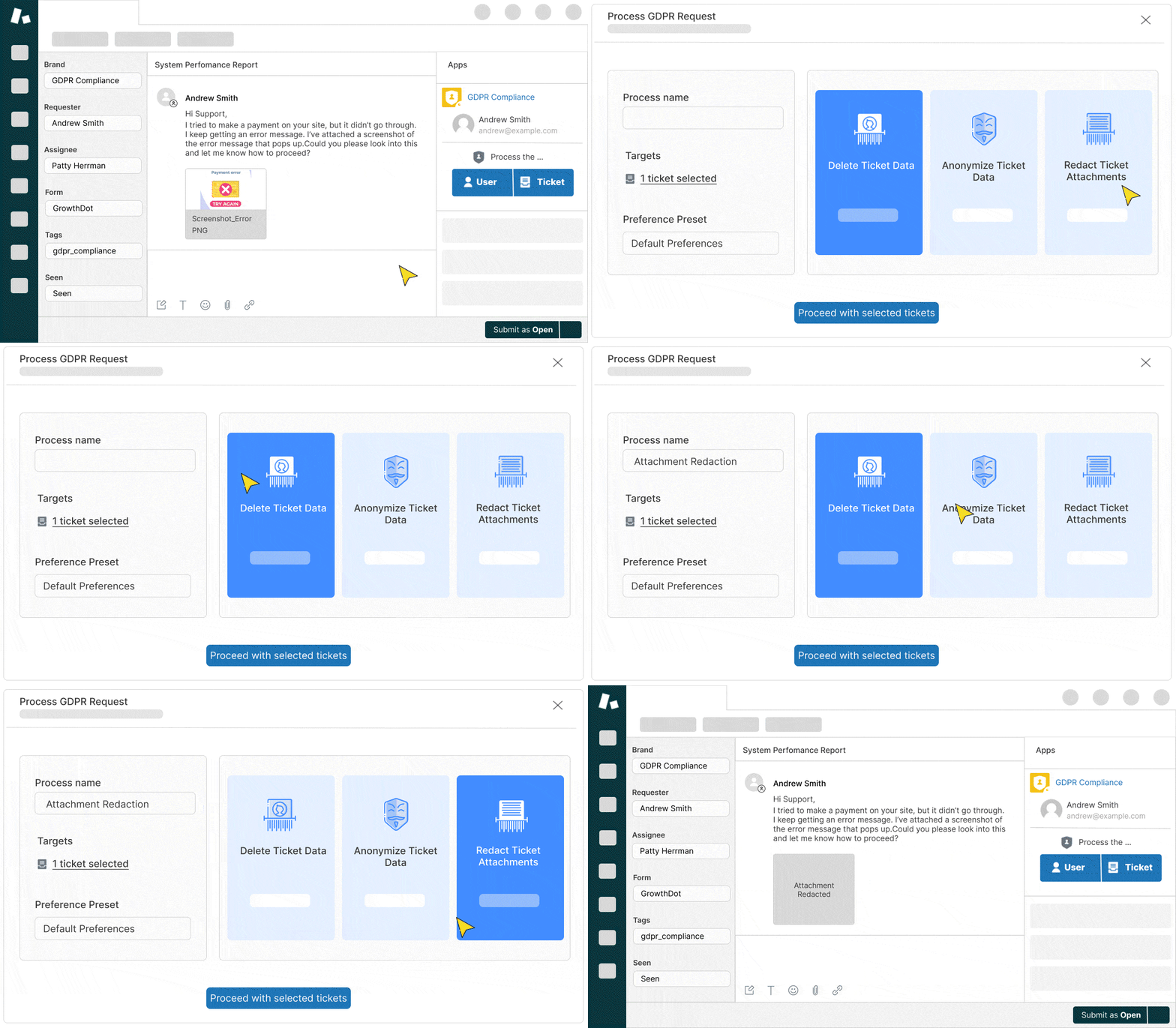
About the add-on
Key features:
- Bulk and individual attachment removal
- Filter attachments to remove based on ticket status, creation date, tags, or specific file types
- Automated workflows to delete files based on custom rules
- Run deletion on the background and continue working in Zendesk
- First 3 GB for free
- NEW Redact attachment by file format. Choose PDF, CSV, JPG, and more file types suitable for your needs

Try your first 3 GB for free
Clean Up Your Zendesk with the Attachment Deletion Add-on! Select the optimal size to clean that fits your company’s needs.
Try Add-on for freePay only for GB that you want to wipe out
Upgrade your limit anytime if needed
$35/50 GB
One time payment
Get in App Contact Sales - First 3 GB for free
- Bulk and individual removal
- Include or exclude conditions
$45/100 GB
One time payment
Get in App Contact Sales - First 3 GB for free
- Bulk and individual removal
- Include or exclude conditions
- 0.45 $ per GB
Popular
$65/150 GB
One time payment
Get in App Contact Sales - First 3 GB for free
- Bulk and individual removal
- Include or exclude conditions
- For big data storage
- 0.43 $ per GB
Frequently asked questions
Everything you need to know about the product and billing
This add-on is part of GDPR Compliance and must be activated within the application.
This is a one-time purchase. You buy a set amount of GB for redaction, and they remain available until you use them all. There’s no recurring subscription.
You can check your storage usage in Zendesk by going to the Admin Center. On the home page, you'll find an overview of your current storage consumption, which can help you estimate how many GB you need for redaction.
Yes, our GDPR Compliance App add-on allows you to select specific file types for redaction, giving you full control over which attachments to delete.
Open the GDPR Compliance App and go to the subscription page. There, you’ll find add-on options for 50, 100, or 150 GB. If you need a custom amount, contact support at [email protected].
Yes, the Attachment Redaction Add-On is available with the GDPR Compliance Premium Plan.