Email Tracking for Zendesk®
Add the email visibility Zendesk doesn't provide by default. Track email opens, link clicks, and get Zendesk read receipts directly in your tickets.
7-day free trial plans from $1.67 / agent / month
No credit card required · Free forever on Sandbox accounts
Trusted by the world's biggest brands





Key Features
Track email opens directly in Zendesk
Monitor when customers open tracked emails and use this activity to understand engagement and prioritize follow-ups. Track emails sent from Zendesk, including messages sent through Agent Workspace.
See detailed information about each email open
Get the date, time, and device associated with an email open directly inside the ticket. Read receipts give agents more context about individual customer interactions.
Track link clicks in Zendesk emails
Select one or multiple links to track and receive internal notifications when customers click them. In detailed reports, view all link click activity to understand how customers interact with your emails.
See email open status without opening tickets
Use Seen/Unseen fields to build targeted views in Zendesk® based on email engagement. Quickly identify tickets where customers have or haven't opened your latest message.
Analyze Zendesk email engagement in detail
Analyze open rates across your entire company or by individual agent. See which responses and macros generate the most engagement, and export your data to CSV for deeper analysis or sharing.
Monitor the opening of automated emails
Auto Reply Tracking captures these responses, helping you measure campaign impact, assess recipient engagement, and plan timely follow-ups — all without missing a beat.
Find the best time to follow up
Email Tracking analyzes each customer's activity and recommends the best time to follow up based on their engagement patterns. This helps your team reach customers when they're most likely to respond.
Be the first to know about customers’ activity
Get notified the moment a customer opens your message, so you can follow up instantly. Reduce resolution times, boost customer satisfaction, and toggle notifications on or off as needed — full control, always.
Control who can use the mail tracker app
Easily manage access by restricting usage based on roles or groups. Use Zendesk’s default settings to control who can view and use the app — no extra configuration needed.
Support GDPR-compliant email tracking
Disable email open tracking for recipients in the European Union when required. Control tracking based on your privacy requirements while continuing to use the Email Tracking app in Zendesk.
Key Features
Get full visibility into your email communication with precise read receipts. Instantly know when your Zendesk® emails have been opened — with the exact date and time recorded for each view.
Get the date, time, and device associated with an email open directly inside the ticket. Read receipts give agents more context about individual customer interactions.
Track customer engagement beyond just emails. Link tracking lets you monitor whether the links and attachments you send are being opened — giving you a clearer picture of customer interaction.
The Email Tracking tool automatically updates ticket fields to show whether a message has been viewed or not.
Track the performance of your replies, macros, and agent activity to see what really works.
Stay informed when your messages trigger out-of-office replies, bounce notifications, or other auto-generated emails.
Track when emails are opened and when customers respond to pinpoint the ideal moment to reach out.
Send time-sensitive Zendesk® emails confidently by enabling real-time read alerts.
Our Email Tracking app works natively within Zendesk®, following your existing setup and permissions.
Respect privacy regulations with a single click — no manual setup required.
Zendesk® Marketplace Numbers
Installs
Reviews
Ratings
What is Zendesk® Email Tracking?
Email Tracking for Zendesk is a tool that lets you monitor how customers interact with emails sent from Zendesk Support. It shows when an email is opened, whether links are clicked, and provides advanced statistics to help you analyze email performance.
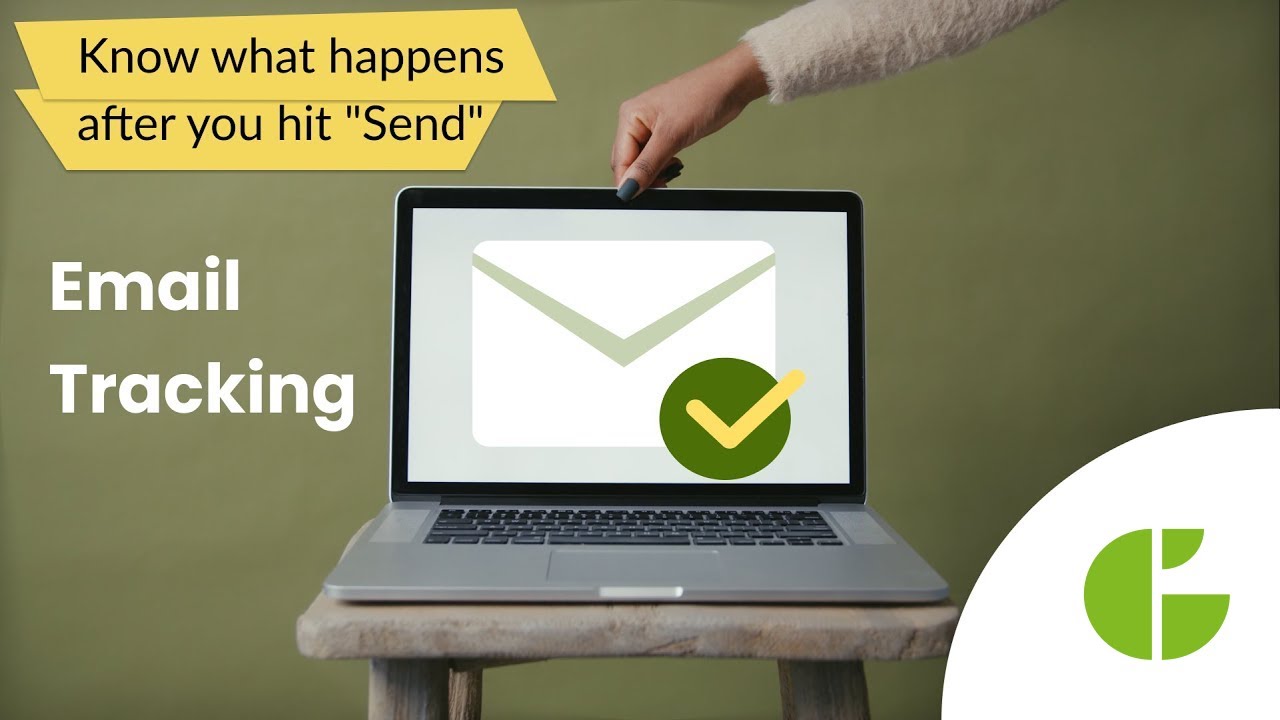
Maximize the effectiveness of your sales, marketing, and support emails.
You are only one installation away from being aware of customer engagement!
The features most highly rated by our clients
Check out the app's use cases


Check out the app's use cases across various industries





Get started with a 7-day free trial
Enjoy seamless integration with your existing platforms and a user-friendly interface that makes tracking and managing emails a breeze
Try Email TrackingDetailed reports for email opening and link tracking
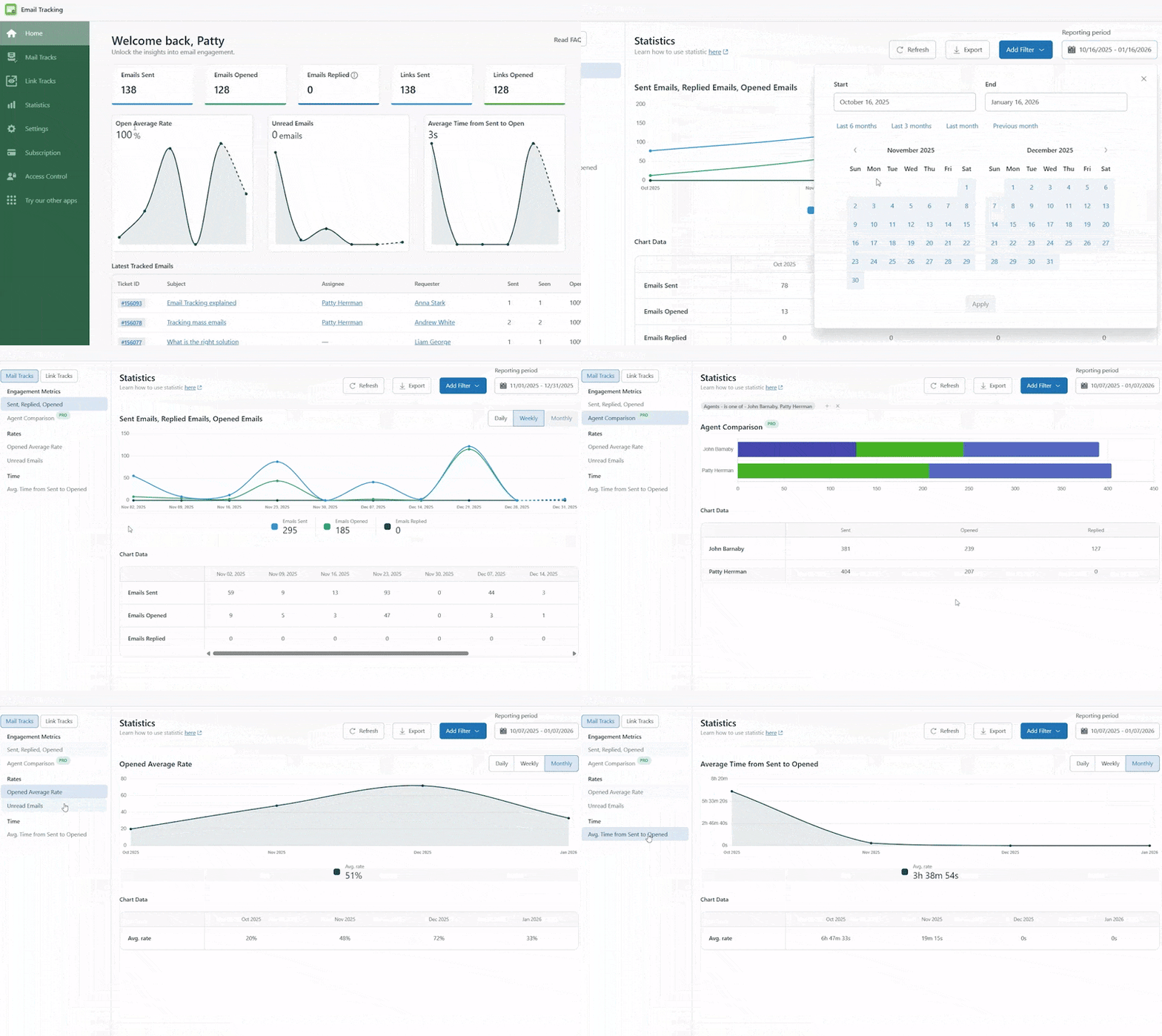
With precise reports, Email Tracking helps you analyze engagement and identify top performers based on:
- Email activity - emails sent, opened, and replied to.
- Mail Tracks - detailed email engagement statistics.
- Agent Comparison - email performance across agents.
- Key metrics - Average Open Rate, Average Bounce Rate, and Average Time from Send to Open.
Make your Zendesk® profile a safe place for your customers
per month
per month
- Email opening tracking
- Exact date & time of email opens
- Read receipts & opening timeline
- Device detection
- Seen/Unseen views
- GDPR compliance

per month
per month
- Everything in Lite
- Link & attachment tracking
- Advanced link tracking statistics
- 15 custom fields for filtering statistics
- Compare agent effectiveness
- 30-day tracking history
- Priority phone & chat support



Pricing Plan Feature Comparison
| Feature | Lite Plan | Pro Plan |
|---|---|---|
| Key features | ||
| Email Opening Tracking | ✓ | ✓ |
| Send emails at the best time for reply | ✓ | ✓ |
| Device detection | ✓ | ✓ |
| Read receipts | ✓ | ✓ |
| Followers tracking | ✓ | ✓ |
| Stay GDPR compliant | ✓ | ✓ |
| Tracking remains active | 10 days | 30 days |
| Track links and attachment | — | ✓ |
| Zendesk Customization | ||
| Set tracking options | ✓ | ✓ |
| Seen/Unseen views | ✓ | ✓ |
| Control agent permissions | ✓ | ✓ |
| Data and Analytics | ||
| Custom fields to filter statistics | 1 | 15 |
| Statistics and Analytics | ✓ | ✓ |
| Detailed Mailed Tracks Statistic | ✓ | ✓ |
| Link tracking statistics | — | ✓ |
| Compare your agent’s effectiveness | — | ✓ |
| Services & Support | ||
| Training and onboarding | 1 session | 4 sessions |
| Dedicated support | Email & Chat Support | Phone & Priority Support |
Transform your Zendesk® services today - let's take the first step!
Discover how GrowthDot can boost your team
engagement and enhance customer satisfaction.