Contacts from my list receive twin email notifications. Why?
-
Proactive Campaigns

If you have the ‘Notify requester of received request’ enabled, the contacts from your lists are most likely to receive multiple notifications of the emails you send. That’s because the Proactive Campaigns app automatically creates tickets for each email sent within a campaign. Moreover, the app automatically creates an ‘Is campaign’ custom field that will be displayed for all the tickets in your Zendesk. This way, it is easier for users to search for and filter tickets sent within a campaign. Tickets sent via Proactive Campaigns are always created with the‘Is campaign’ custom field set to checked.
Thus, if you have the ‘Notify requester of received request’ trigger on, the contacts will receive two notifications about the received request. One will be sent after Proactive Campaigns creates a ticket, and the trigger will send another one. Here is how it looks.
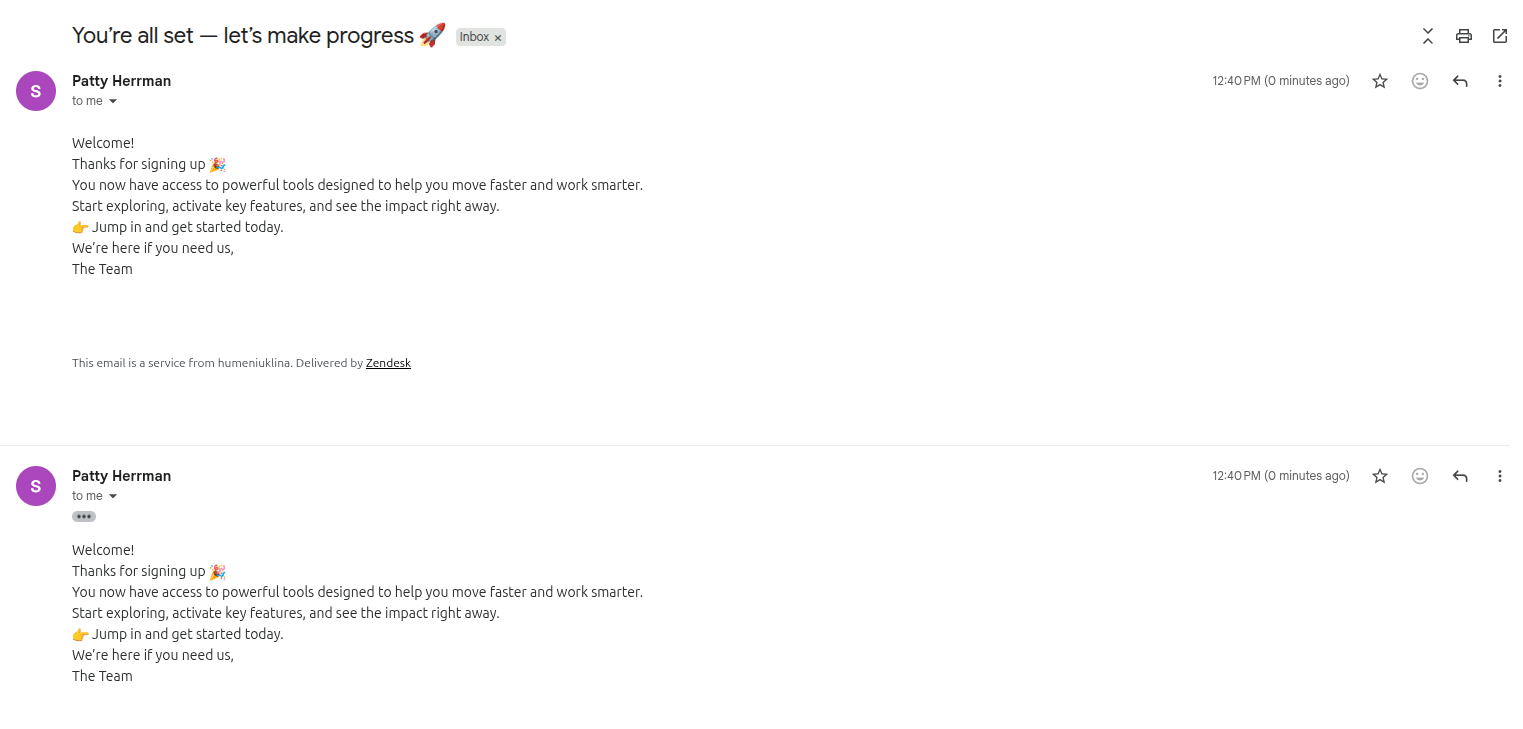
Besides, if you've created other triggers based on the cloned ‘Notify requester of received request’, the app may send multiple notifications depending on the total number of similar triggers you've created.
However, there is a workaround if you still want to keep your triggers enabled but want to avoid multiple notifications.
All you have to do is add a custom field condition to all triggers that have the same conditions as ‘Notify requester of received request’. That is the following:
[Is campaign] - [Is] - [Unchecked]
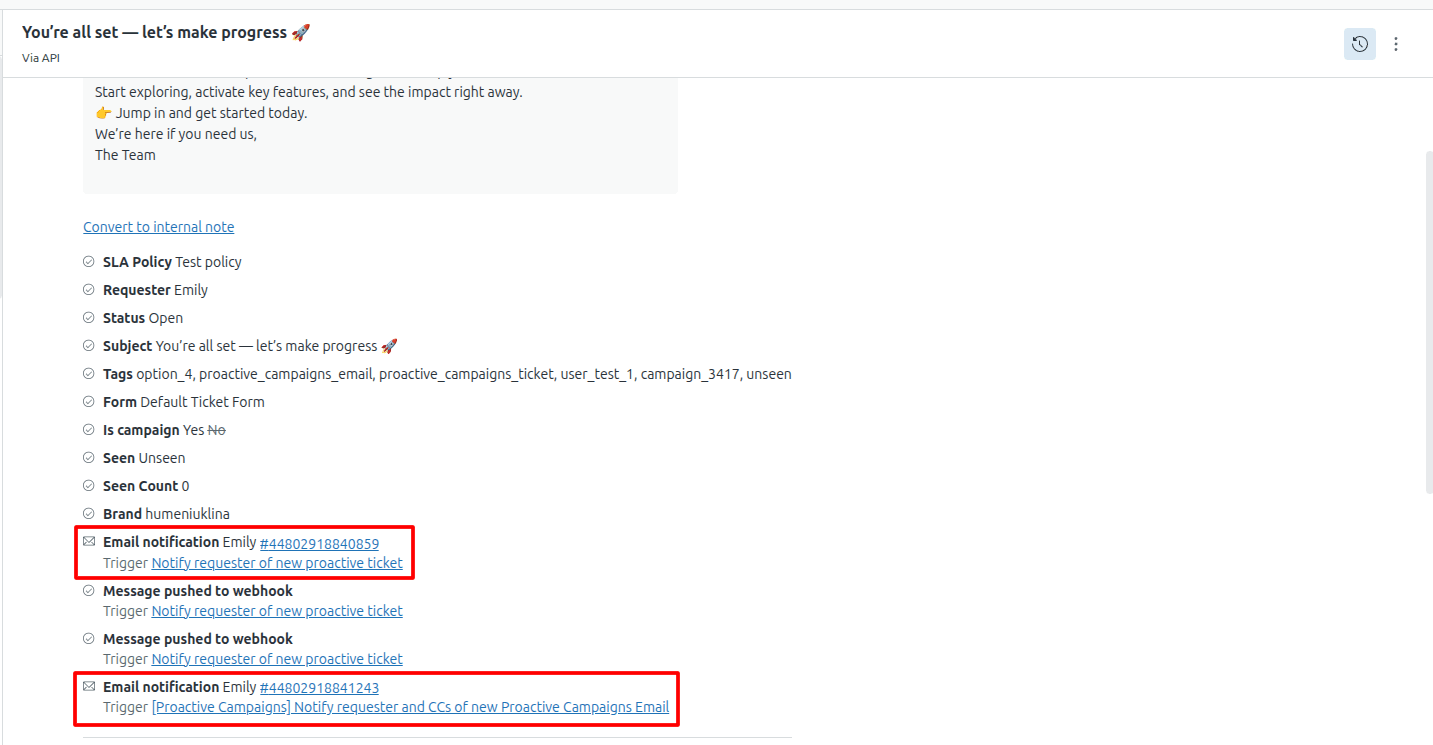
If you don't know which trigger caused the problem, open the ticket that was sent twice and check the Events tab. Let's check an example. As you can see in the screenshot, email notifications were sent by two triggers.
To fix the problem, go to Admin tab - > Objects and rules ->Business rules -> Triggers and add the condition [Is campaign] - [Is] - [Unchecked] to both triggers.
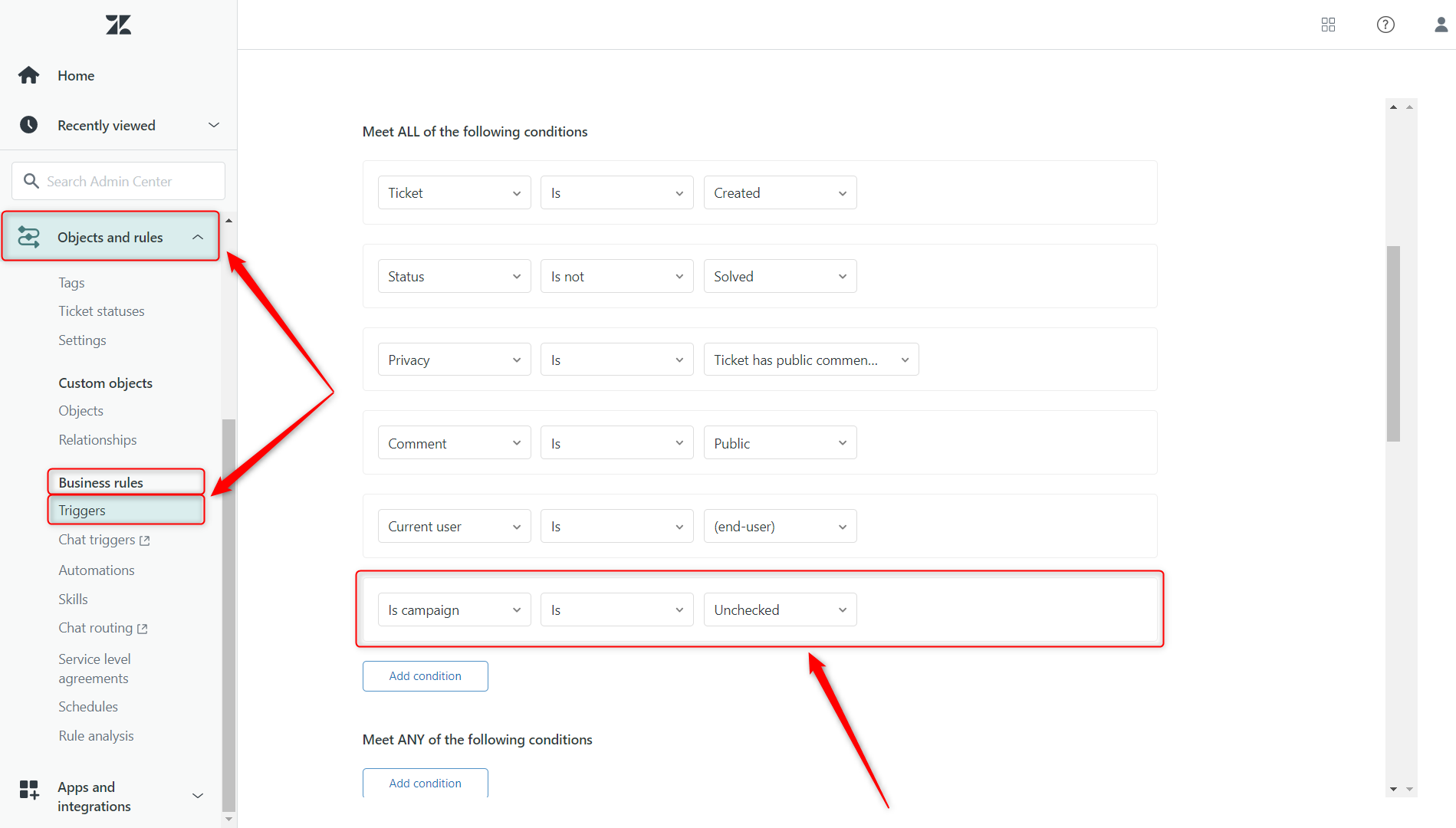
Thus, notifications created by these triggers will be sent only for tickets with the ‘Is campaign’ custom field unchecked.
And this is it! You can now continue using Proactive Campaigns without any inconvenience.



