How to Set Up an Easy Opt-Out for SMS Campaigns ("Reply STOP to Unsubscribe")
-
Proactive Campaigns

The Case
When running SMS campaigns, giving recipients a simple way to opt out is a standard practice and a legal requirement in many locations. Customer support teams usually ask customers to reply with the word STOP. This guide explains how the reply flows into Zendesk and how to build automatic unsubscribe handling using a custom field and a trigger.
Does "STOP" show up in the Zendesk ticket?
Yes. When an end-user replies to an SMS campaign message, their reply (including the word "STOP") comes back into Zendesk as a comment on the ticket, just like any other inbound SMS reply. This means you can build automation directly off the ticket content.
The Solution
The recommended setup uses three steps working together:
Step 1: Create a Custom Field
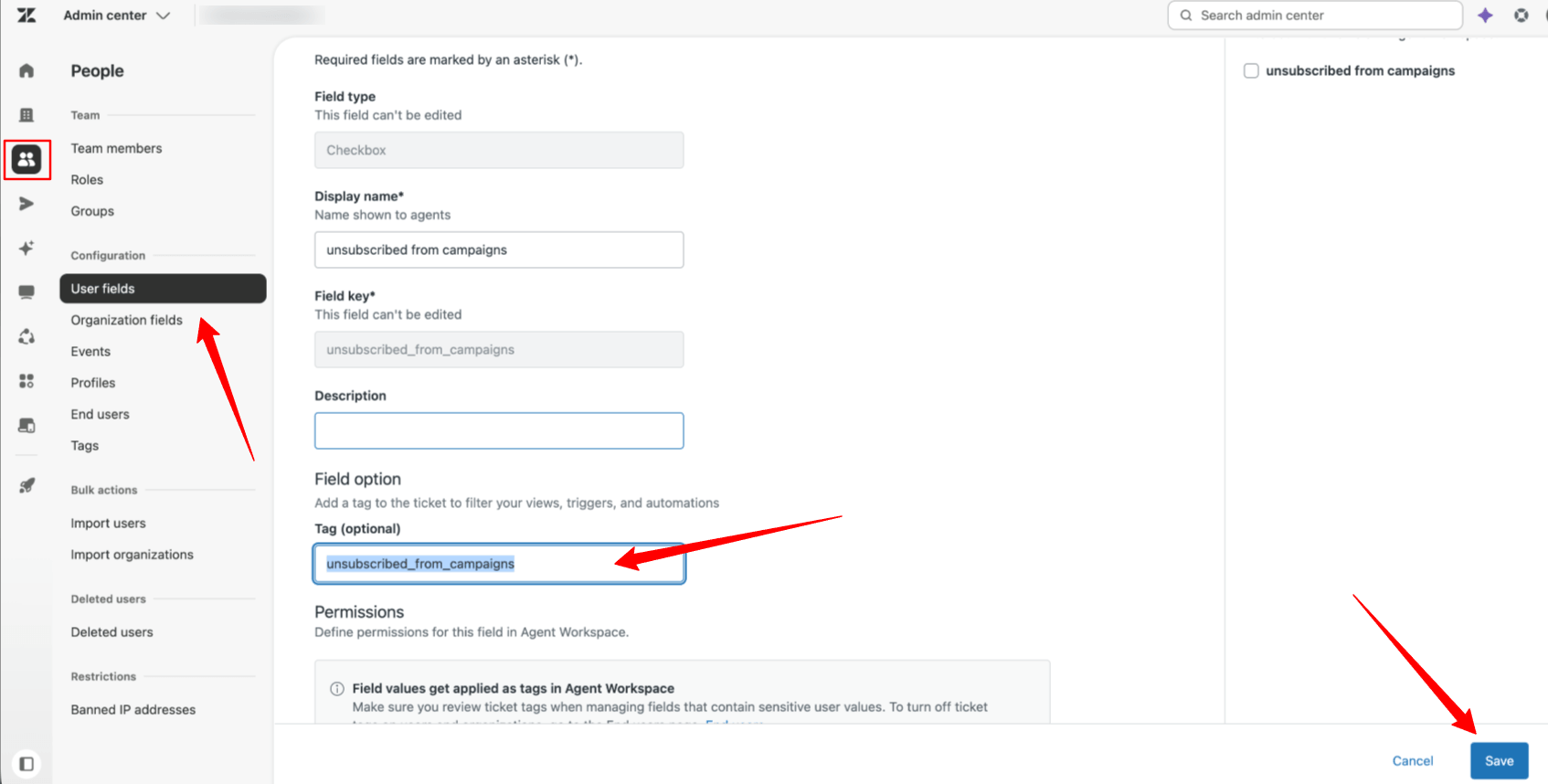
1. Go to Admin Center → People (or Objects and rules, depending on your Zendesk version) → User fields.
2. Create a new field:
Type: Checkbox
Field key/value: unsubscribed_from_campaigns
3. Save the field.
Step 2: Create a Trigger to Detect "STOP"
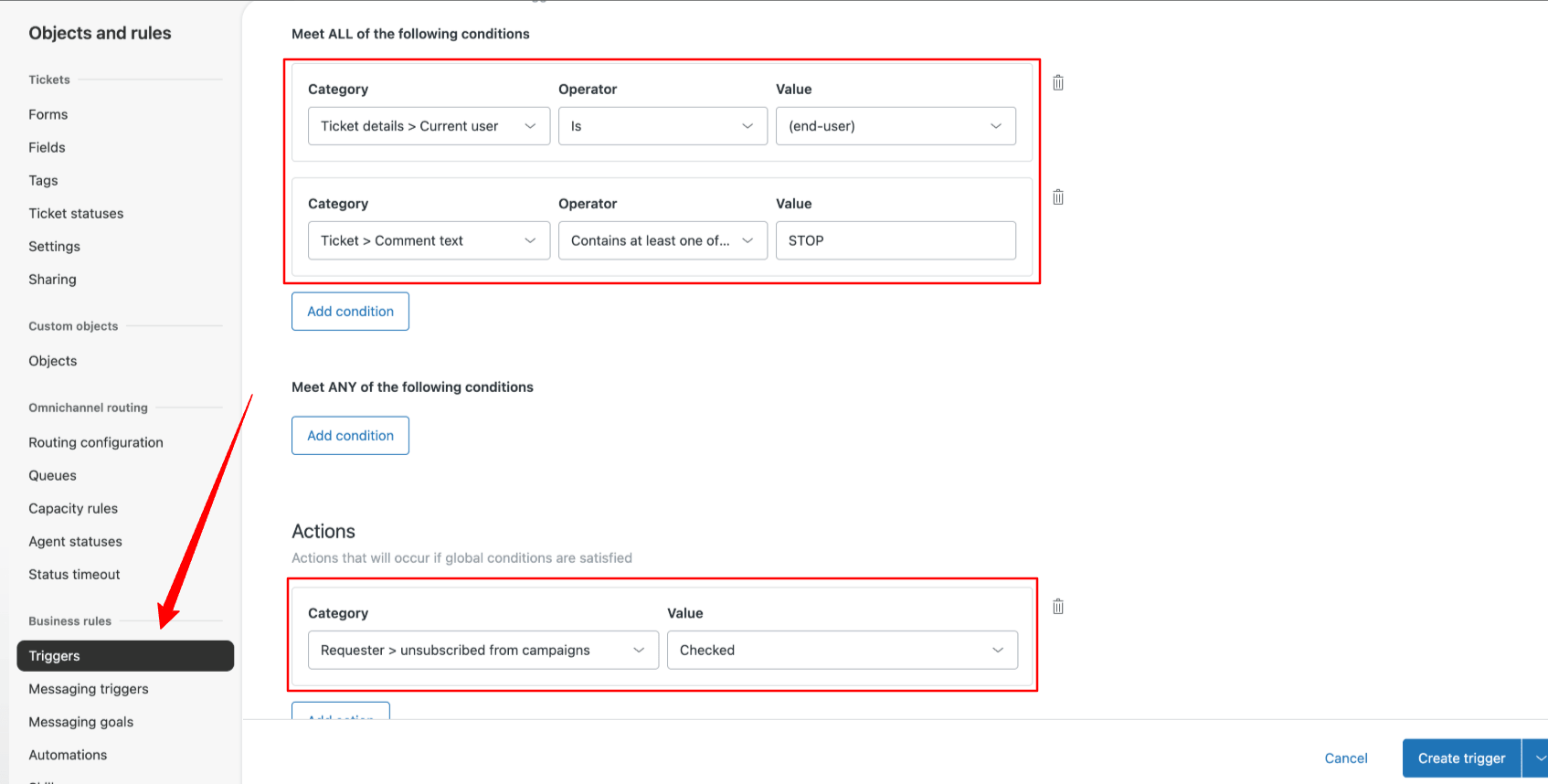
1. Create a trigger that listens for the opt-out keyword and flips the checkbox on.
Conditions:
Ticket details > Current user is → (end-user)
Ticket > Comment text > Contains at least one of the following words → STOP
Actions:
2. Set custom user field Requester > unsubscribed_from_campaigns → Checked
💡 Tip: Consider matching common variants as well (e.g., STOP, UNSUBSCRIBE, CANCEL, END, QUIT), since carriers in some regions recognize multiple standard keywords. You can add these as additional "any of" conditions in the same trigger.
Once this trigger fires, the user's checkbox field is updated automatically — no manual agent action required.
Step 3: Enable Unsubscribe Checking in Your SMS App
Configure your SMS campaign app to check the unsubscribed_from_campaigns field before sending to each recipient:
- Go to the Settings tab in the Proactive Campaigns app
- Select the General section and move the toggle near Allow to unsubscribe from campaigns
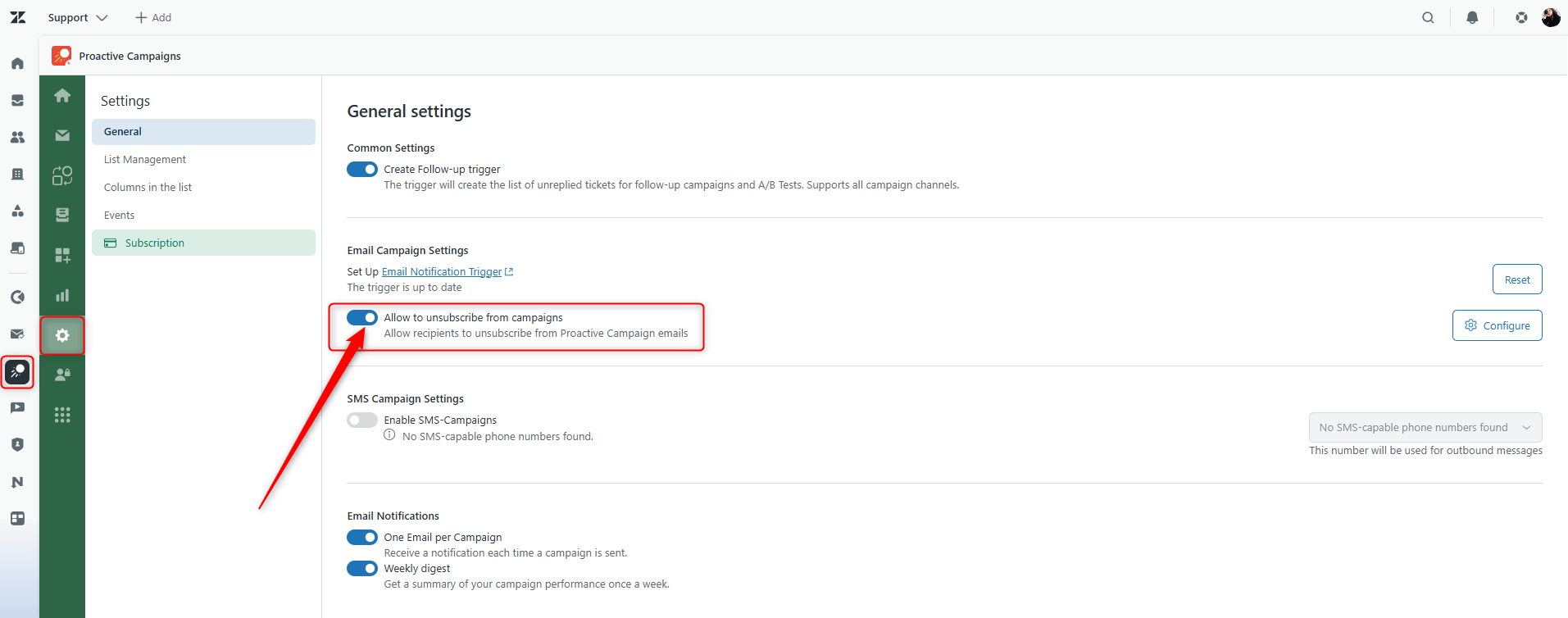
This closes the loop: STOP reply → field updated → future campaigns automatically exclude that person.
If you have any questions or problems with the flow, contact our support team anytime.