Support leaders don't struggle with tickets. They struggle with handoffs: the moment a ticket needs a comment from another team, no one owns making sure it actually gets there, gets answered, and comes back. Zendesk is built to manage tickets. But it isn't built to manage the transfers between the teams working on them. That means every team with high ticket volume needs additional Zendesk team management tools to handle it.
That gap is exactly what we walked through in our recent webinar on team management in Zendesk, using Kanban Pro for Zendesk as the working example. We presented a VIP escalation case spanning Support, Sales, and Technical. In the end, we showed the impact teams have seen after adopting it with the Email Tracking app.
The Problem: Broken Handoffs and Missed Follow-Ups Across Teams
Picture this: a VIP customer submits a complaint. They're not getting the level of service they were promised, and they want answers fast. However, with a VIP account, there's no place for dropped context or slow forwarding.
That's exactly the scenario where most support orgs fall apart, not because any single team drops the ball, but because no one has visibility into where a ticket is once it crosses a team boundary. Sales doesn't know Support is waiting on them. Support doesn't know if the customer even read the update they sent. As a result, the ticket bounces between internal chats and email threads, and nobody can tell you how long it actually took at each stage.
The Use Case of Team Management in Zendesk: A Shared VIP Board
Here's how Kanban Pro for Zendesk solves this, using a real VIP escalation flow as the example.
Kanban Pro gives agents a visual board built on top of Zendesk that turns tickets into cards tracked across custom workflow stages. So, instead of a ticket disappearing into someone else's queue, everyone can see exactly where it stands.
Let's see the use case of team collaboration with a Kanban board step by step:
1. First, the ticket comes in tagged VIP. The support agent reviews the complaint and realizes they need a comment from Sales. So, they update a custom field "Who owns it?" on the ticket to "Sales".
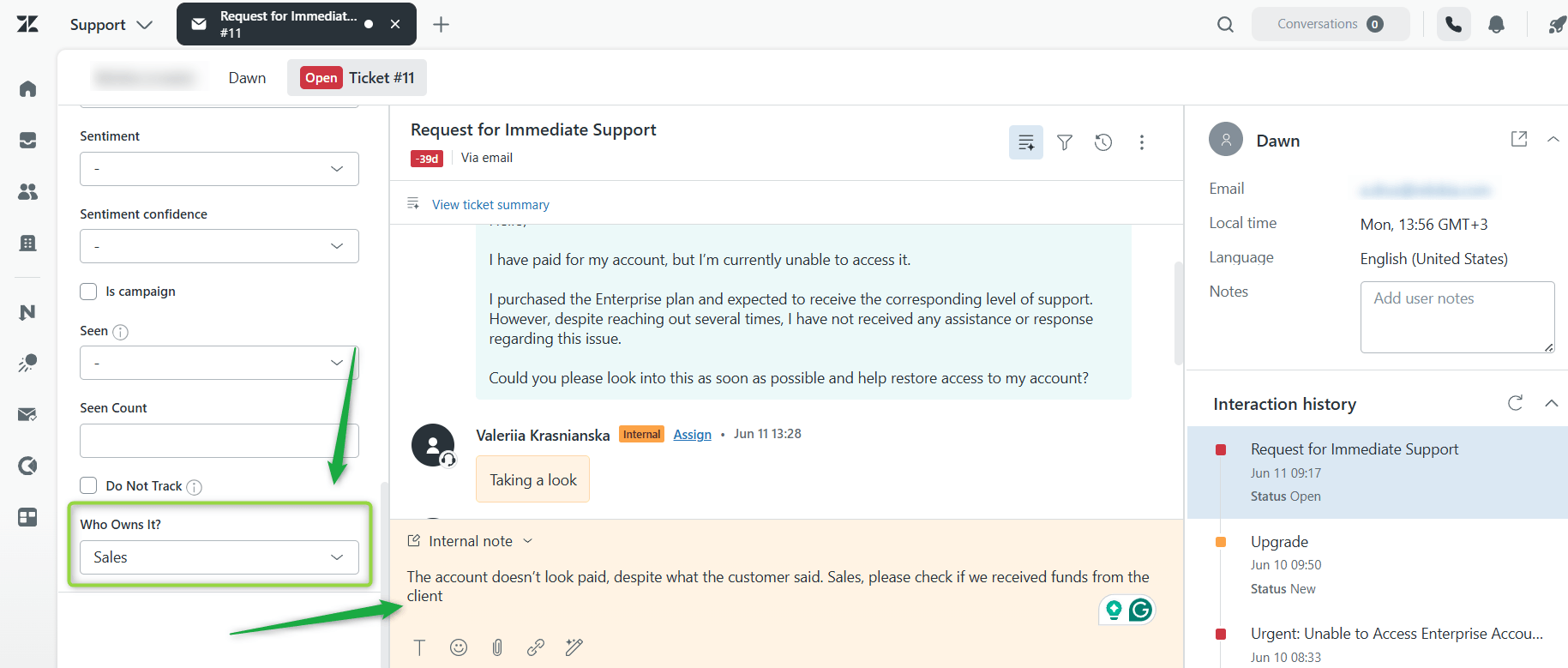
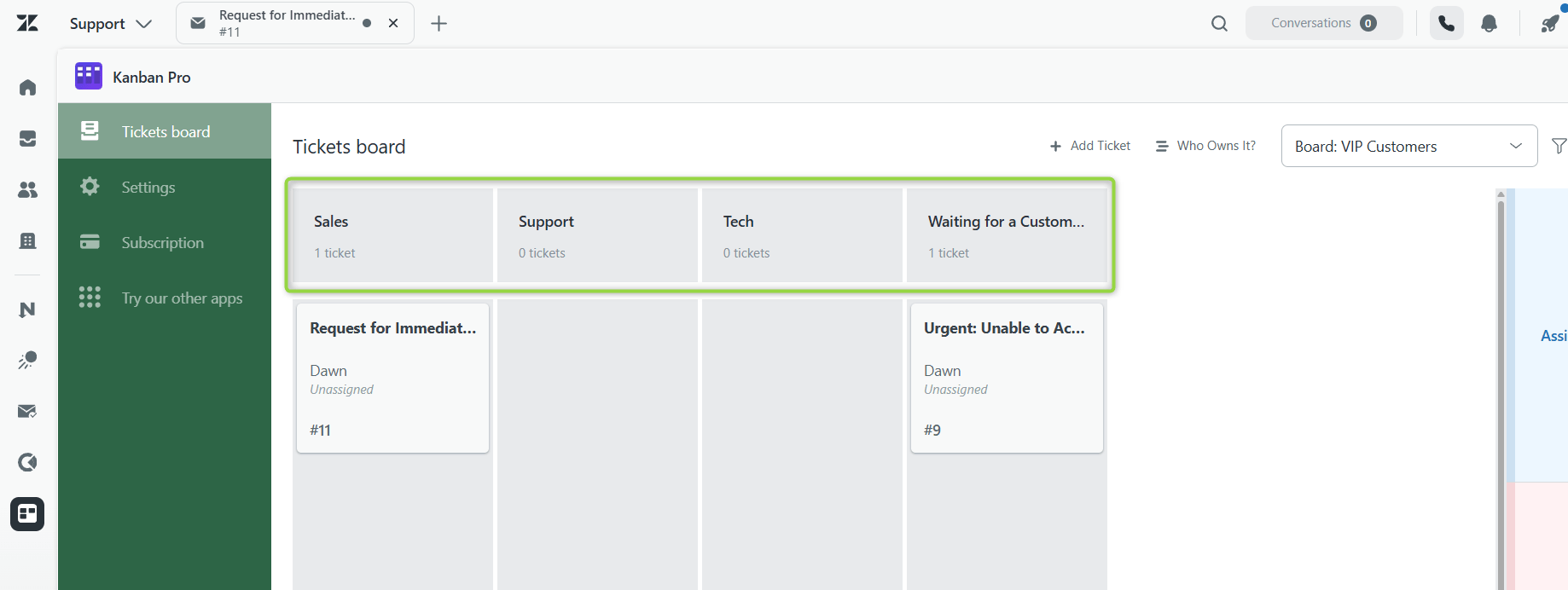
2. A shared VIP board, built on that custom field, already has columns mapped to each stage of the escalation. The moment the field changes, the card moves into the Sales column — no Slack ping required.
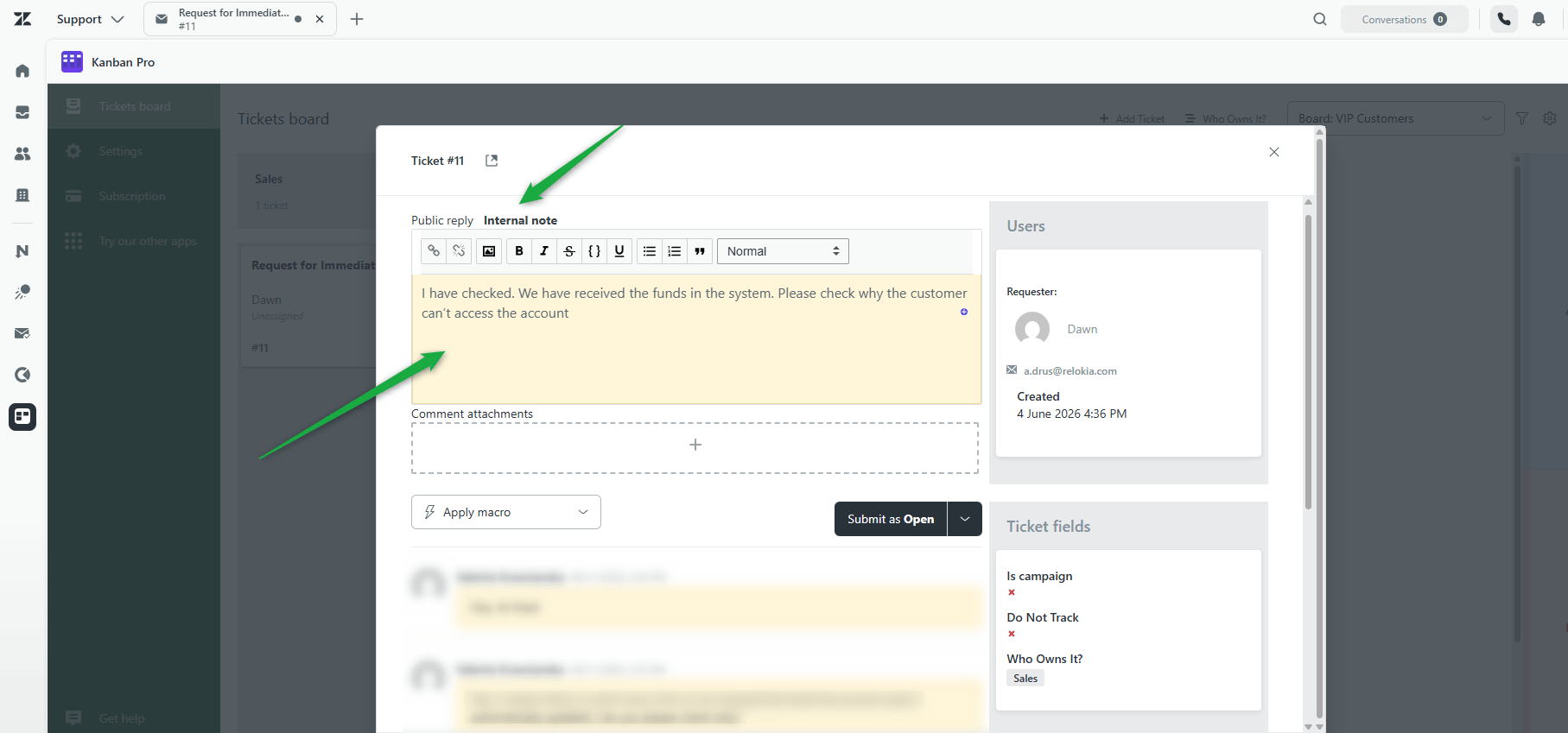
3. Then, Sales opens the board, sees the ticket sitting in their column, pulls up account history, and adds the relevant context as an internal note. Next, they move it back to the Support team.
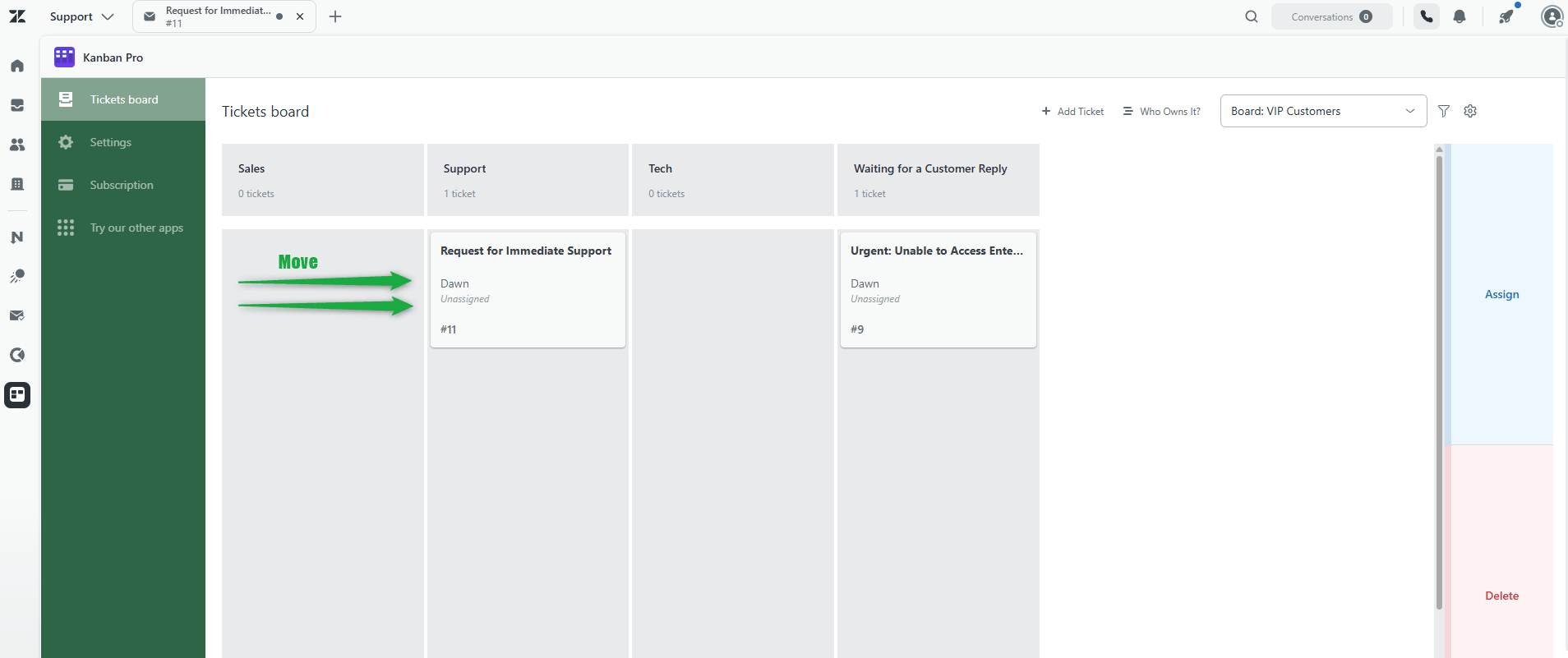
4. Next, Support reviews the input and spots a technical issue too. So they drag the card to the Tech team for their remark.
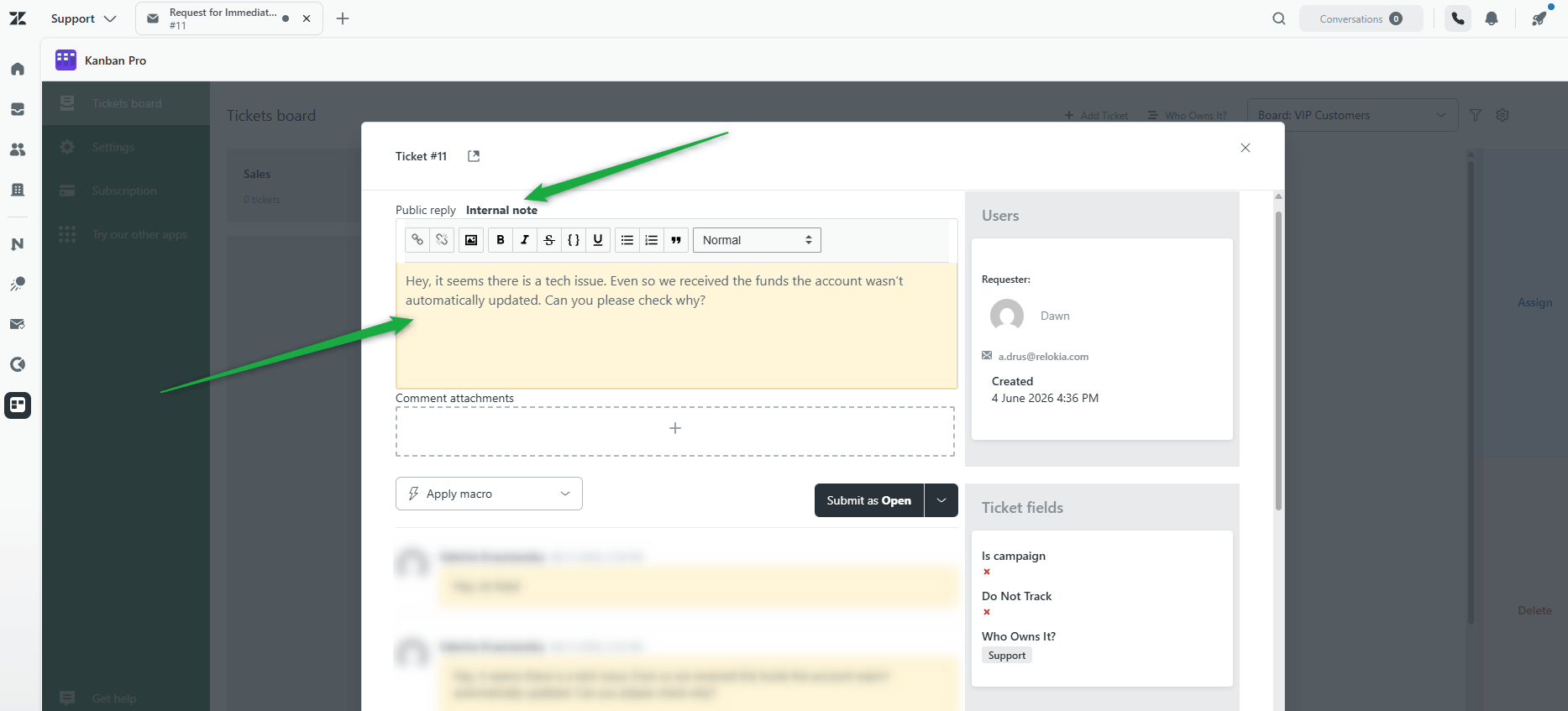
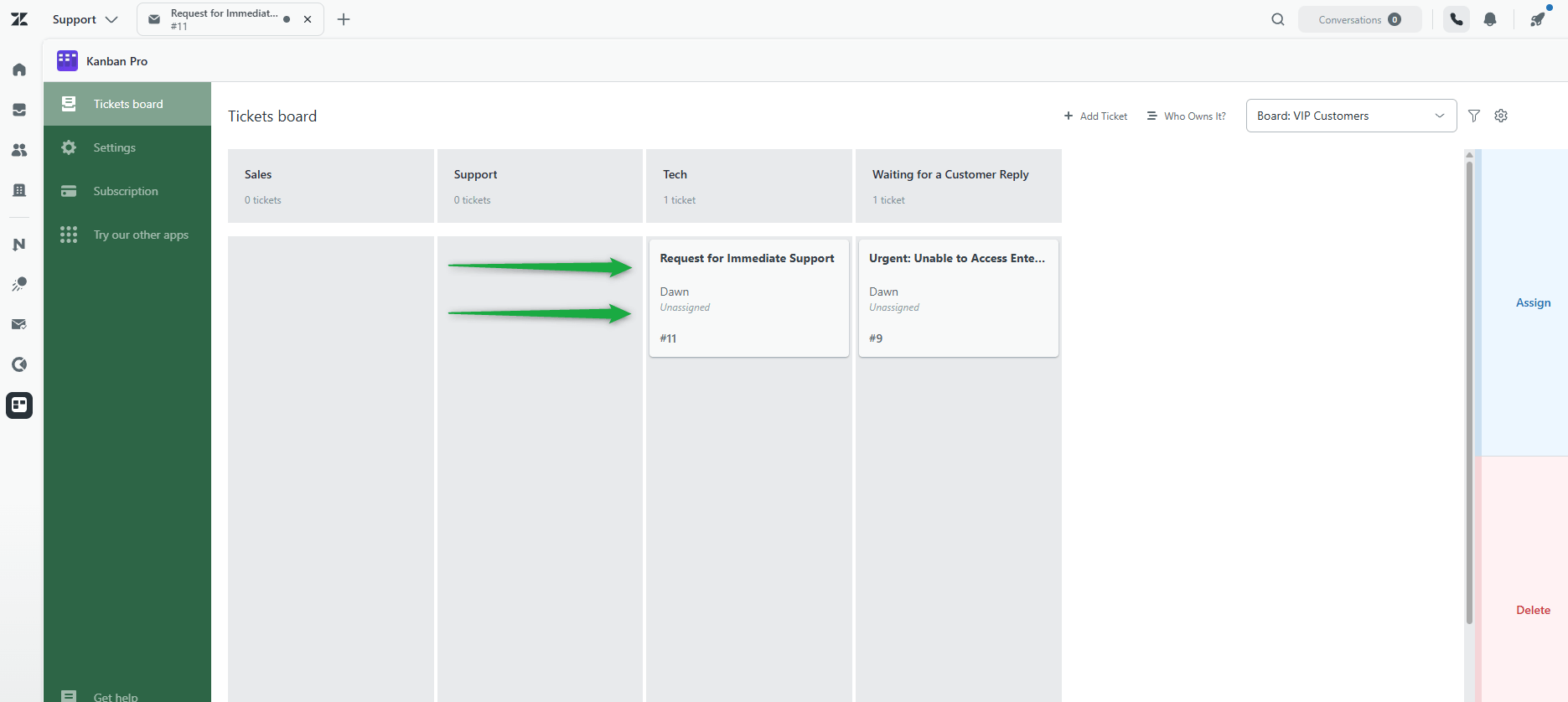
5. Meanwhile, the Technical team investigates, logs their findings as an internal note, and moves it forward to Support members.
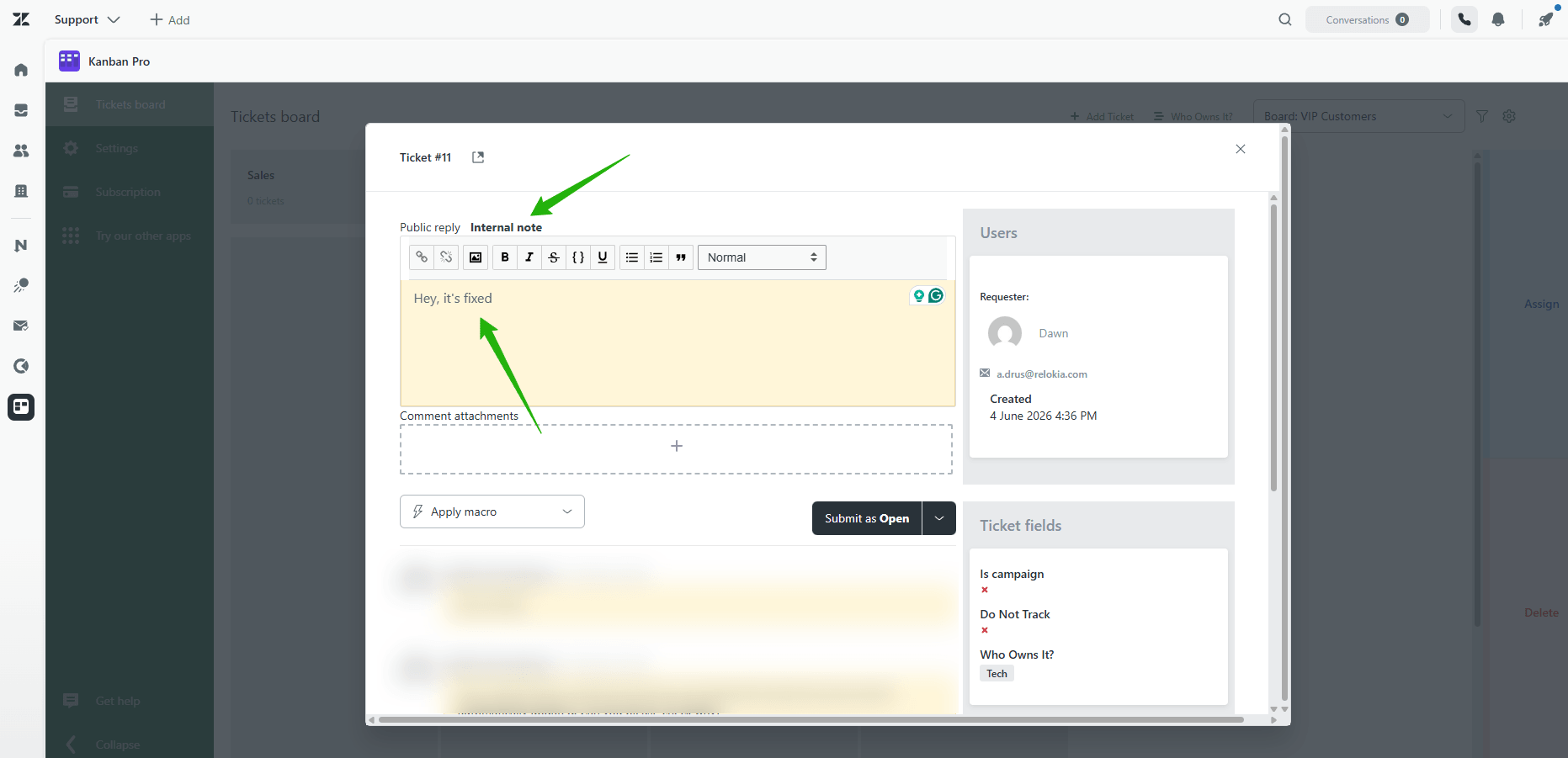
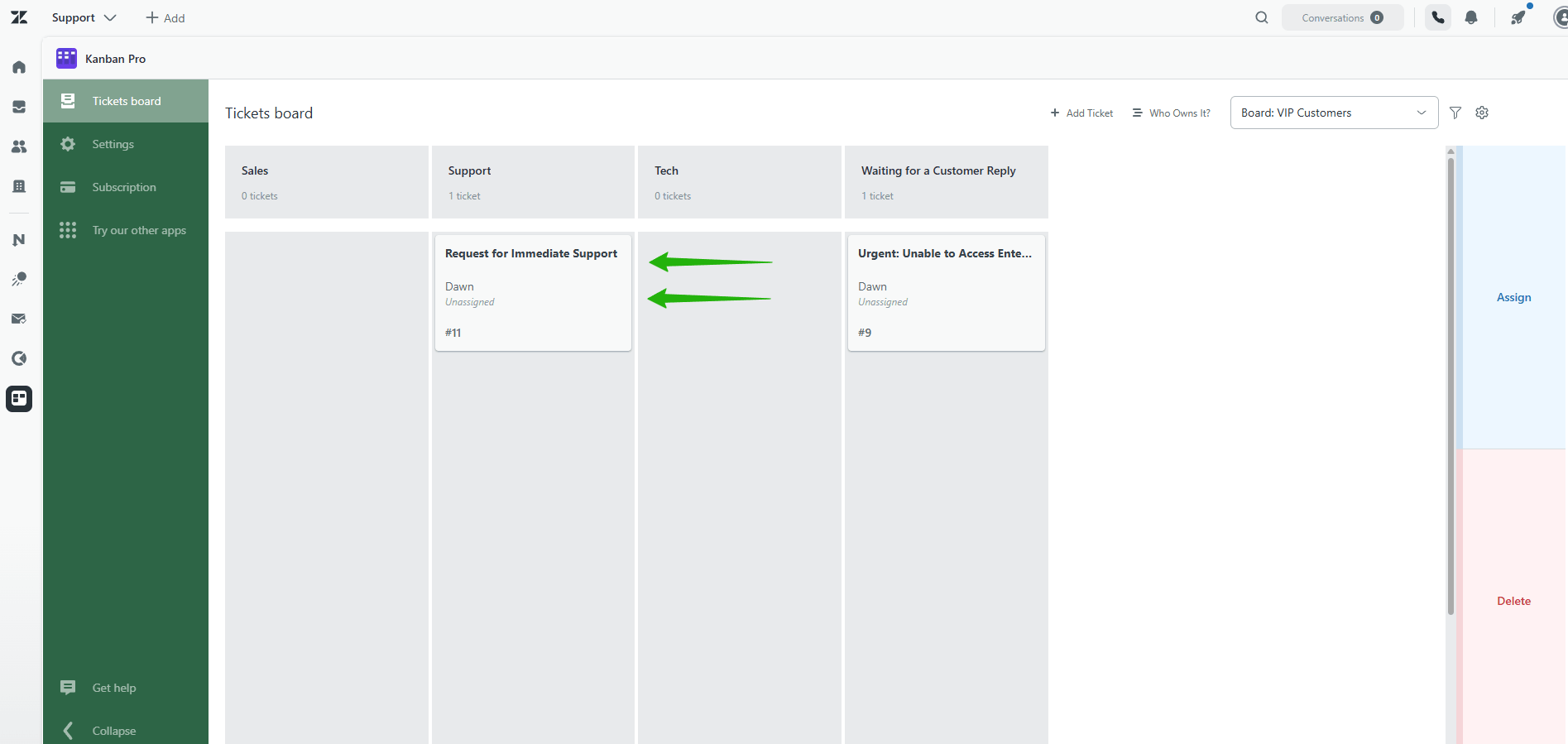
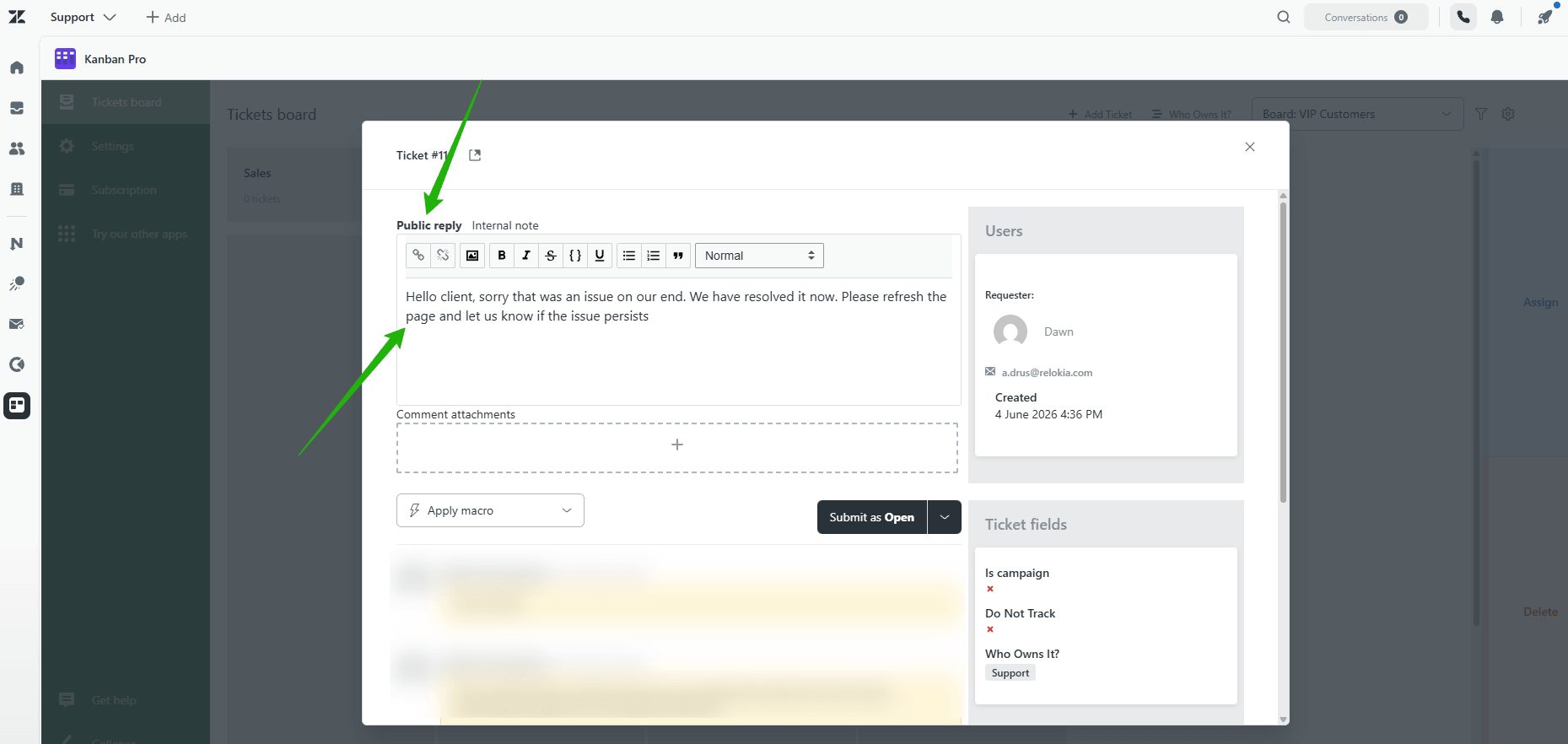
6. Finally, the agent sends the customer a Public reply. This is usually where things get stuck; nobody knows if the customer actually read it, so follow-up either happens too early or too late.
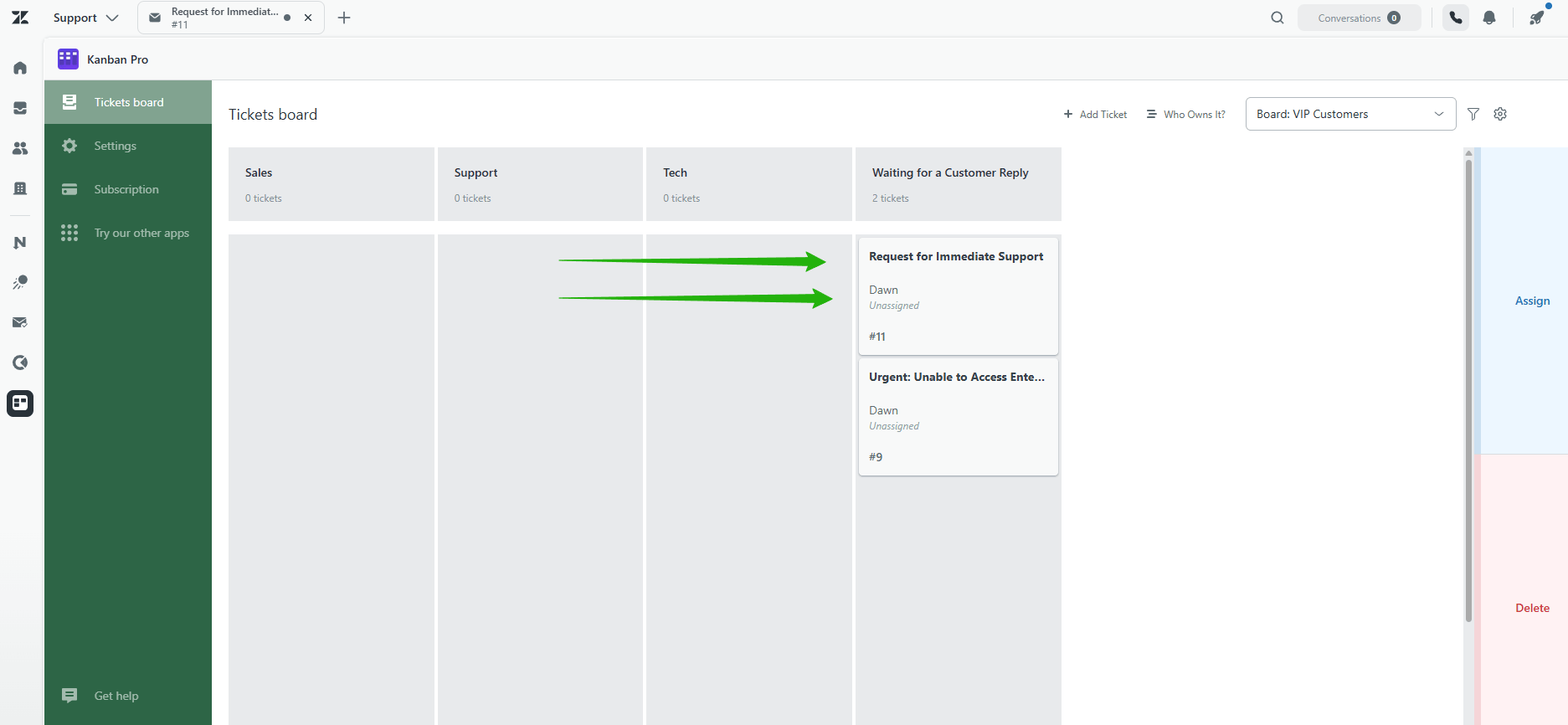
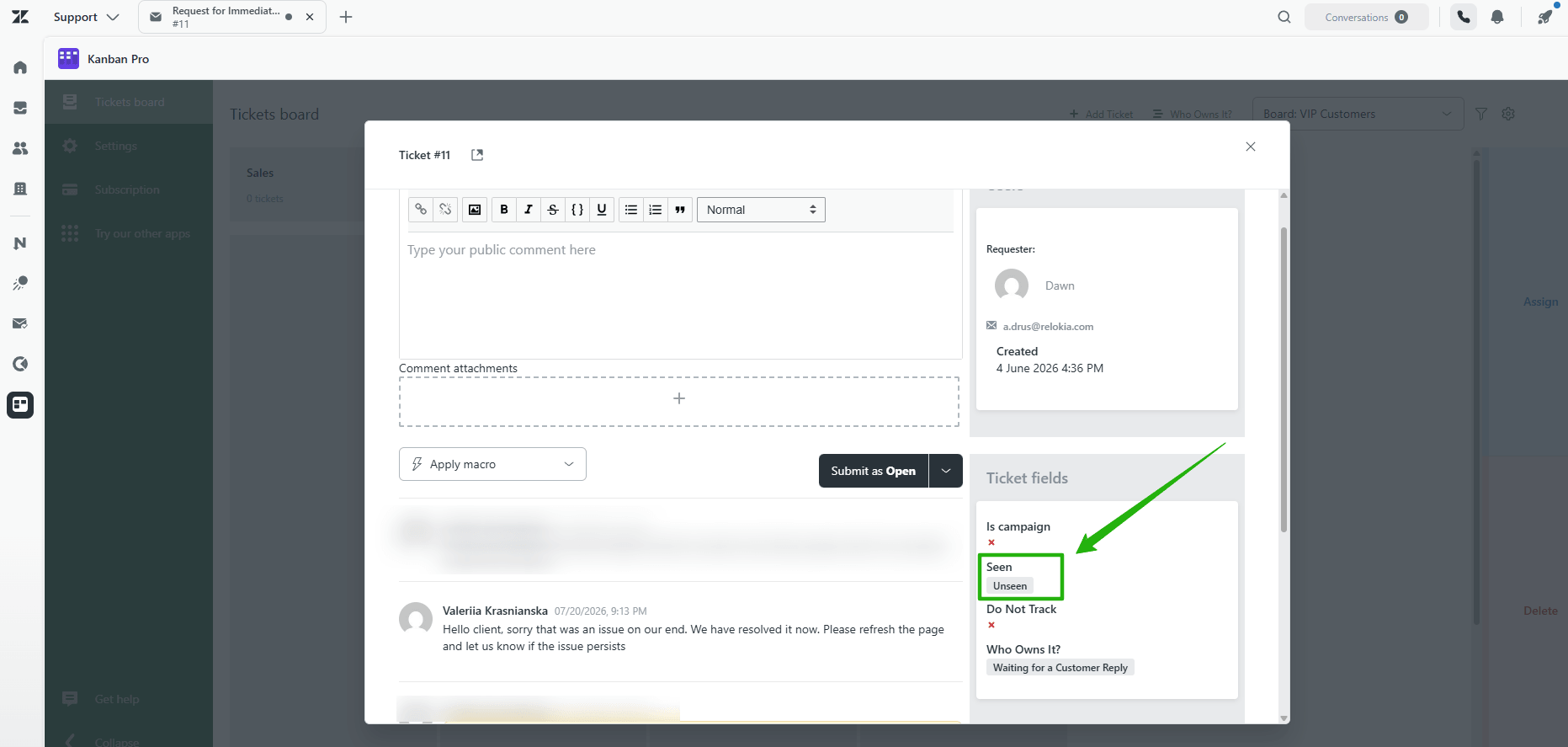
7. In conclusion, Email Tracking closes that gap. Right on the board, the agent can open the ticket and see whether the email was opened. Seen? The team waits for a reply. Still unseen after a day? They know it's time to follow up — before the customer gets frustrated and escalates again.
Therefore, Support, Sales, and Technical resolve in hours what used to take days of back-and-forth across internal chats and emails, with full team visibility and zero dropped context. Every team knew exactly when it was their turn, and Email Tracking told them when to follow up instead of leaving them to guess.
The Result: Performance After Adoption
The GrowthDot team also regularly uses Kanban Pro and Email Tracking. For instance, the app helped our team dramatically reduce ticket resolution time. Here is what our support agents noticed about their work and put into structured statistics.
| Metric | Before | After Kanban Pro | Change |
| Cross-team handoff time (Support → Sales/Technical) | 4.4 hrs | 1.2 hrs | −50% |
| VIP escalation resolution time | 2.8 days | 0.9 days | −68% |
| Internal chat/email threads per escalation | 8.5 | 1.5 | −82% |
| VIP tickets resolved within SLA | 74% | 95% | +21 pts |
The biggest shift wasn't speed on any single team's work — it was the handoff itself. No ticket sat waiting for someone to notice it. As a result, every team knew the moment a card landed in their column, and Email Tracking told them whether to follow up or wait, based on whether the customer had actually seen the update.
To sum up, Kanban Pro for Zendesk turns your customer service with ticket queues into a live board your whole team can manage from — no spreadsheets, no guesswork, no more "what's everyone working on?"
FAQ
Team Management in Zendesk