Kanban tools inside Zendesk help teams move from static ticket lists to clear, visual workflows. But not all Kanban apps are built the same. Here in this article, we are going to compare the most popular Kanban boards for Zendesk Support:
- Kanban Pro from GrowthDot
- Kanban from Sweethawk
And more importantly, we’ll include real customer feedback and product updates that reveal how these tools perform in practice and how it improves customer service.
General description of both apps
Kanban Pro by GrowthDot
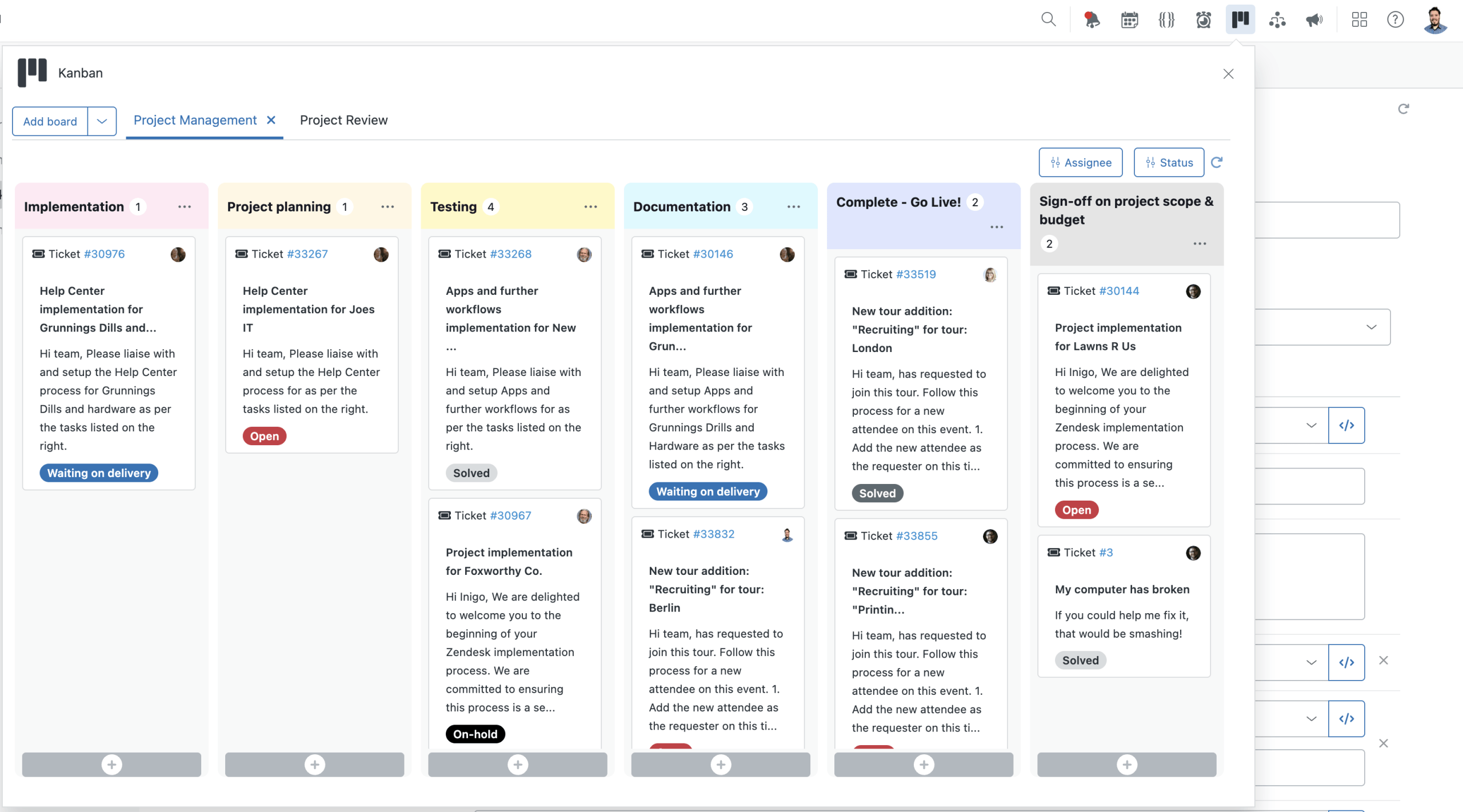
Kanban Pro is positioned not just as a Kanban board, but as a workflow layer inside Zendesk.
While many Kanban tools focus purely on visualizing tickets, Kanban Pro is designed to connect, structure, and scale workflows across teams, from support to internal operations and project management.
Instead of adapting to existing ticket flows, Kanban Pro enables teams to:
- Structure workflows around real business processes
- Visualize multi-step operations
- Align different teams around a shared workflow view
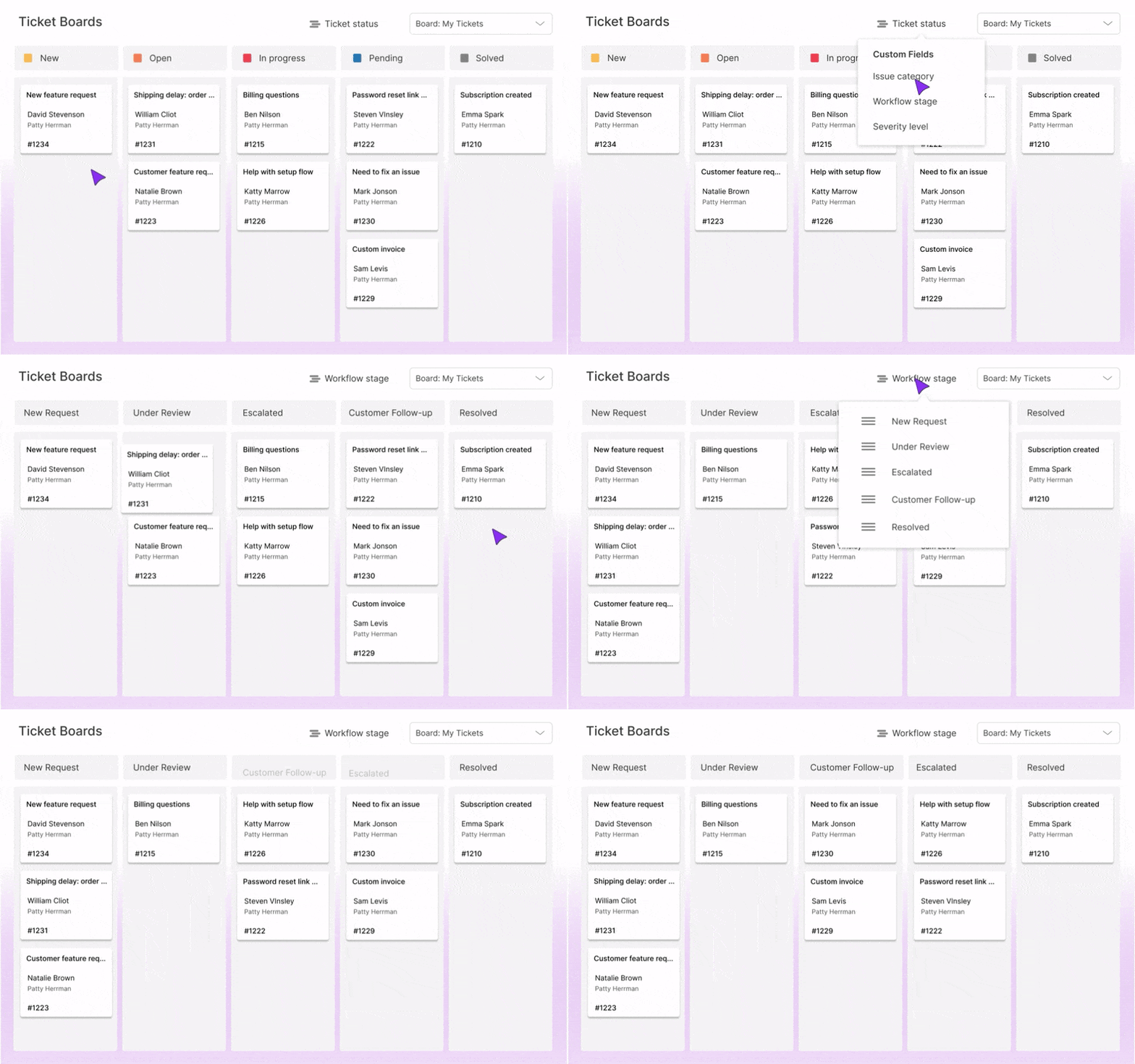
Kanban app by SweetHawk
The Kanban app from SweetHawk is designed as a lightweight extension of Zendesk’s native ticketing system, rather than a standalone workflow platform. It enhances Zendesk ticketing system by adding a visual layer that helps teams quickly understand status, workload, and progress.
SweetHawk’s approach is intentionally minimalistic. Instead of trying to replace or expand Zendesk into a broader system, the app:
- Works within existing Zendesk structures
- Focuses on making current workflows more visible and manageable
- Tickets are displayed as cards
- Integration with a suite of apps
Kanban Pro from GrowthDot vs Kanban from SweetHawk - Feature comparison
Pluses and minuses of Kanban Pro from GrowthDot
GrowthDot positions Kanban Pro as a comprehensive solution for teams that want a high-powered, visual project management layer directly inside their help desk. Here are Pros and Cons of this app.
Pluses (Pros)
View Conversion: The app can instantly convert any existing Zendesk "View" into a Kanban board, saving setup time.
Bulk Actions: Excellent for mass-updating ticket statuses, assignees, or tags by dragging multiple cards.
Advanced Filtering: Offers robust searching and filtering within the board view that feels more like a dedicated PM tool (like Trello).
Custom Card Fields: Great flexibility in choosing which ticket data points (custom fields) are visible on the card face.
Minuses (Cons)
Higher Learning Curve: Because it’s packed with features, it can feel a bit more cluttered/complex for simple teams.
Pricing Structure: Often priced as a standalone "Pro" app, which might be steeper if you only need basic functions. However, a free plan is available, which is a huge advantage.
Occasional Lag: With very high ticket volumes, the "all-in-one" interface can sometimes experience slight performance dips.
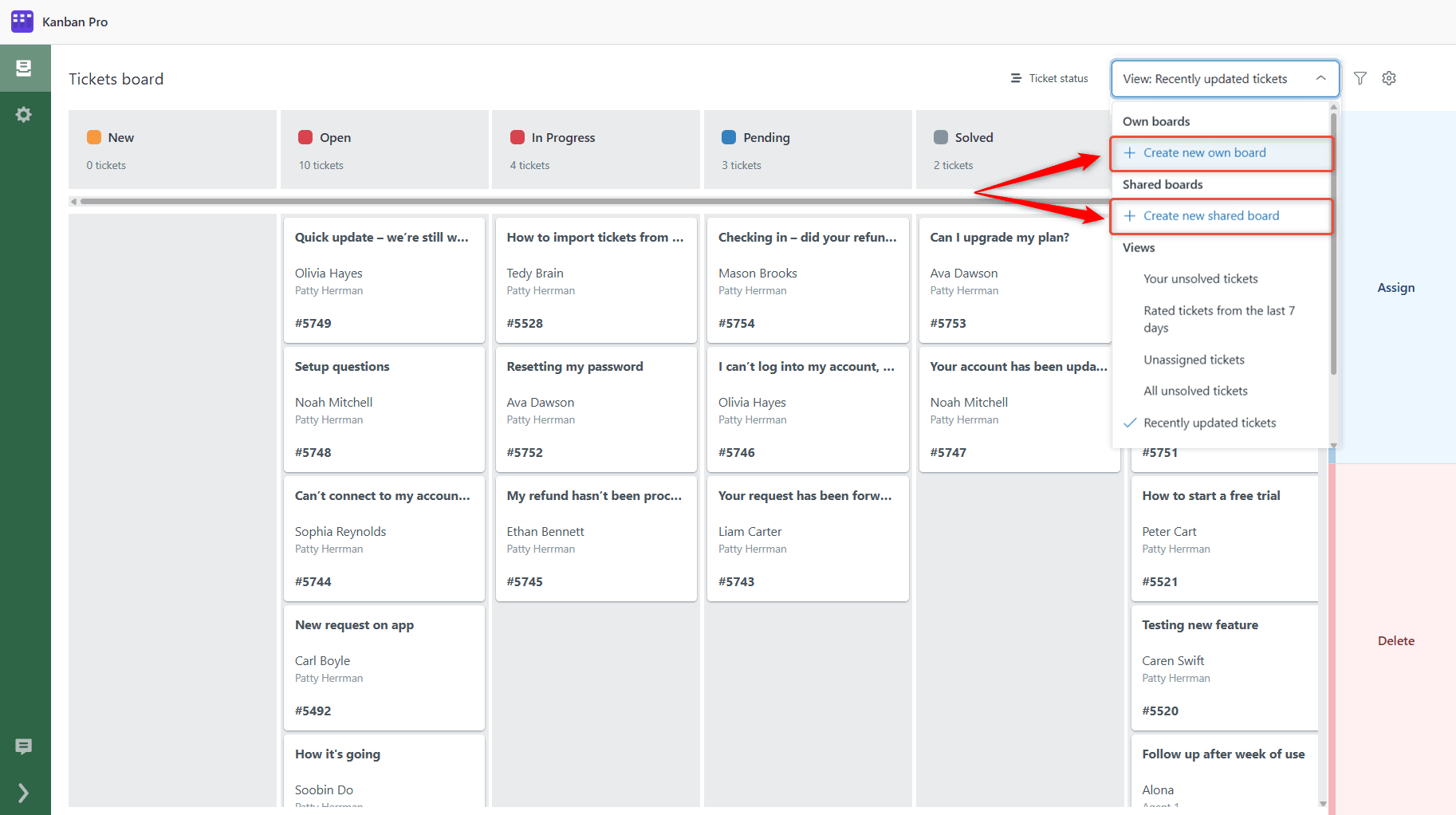
Pluses and minuses of Kanban from SweetHawk
SweetHawk is famous for its "Lego-brick" approach to Zendesk. Their Kanban app is designed to be lean, fast, and part of a larger ecosystem of apps.
Pluses (Pros)
Speed & Stability: Known for being incredibly lightweight and fast. It rarely "bogs down" even with many columns.
The "Super Suite": If you use the SweetHawk "Super Suite," the cost per app drops significantly, making it the best value for power users.
Intuitive UI: Very "Zendesk-native" feel. Agents who know Zendesk will likely find it easier to adopt without training.
Swimlanes: Excellent implementation of horizontal swimlanes to group tickets by priority or agent.
Minuses (Cons)
Feature Gatekeeping: To get the most out of it (like sub-tasks), you often need to buy other SweetHawk apps (e.g., Tasks & Subtickets).
Visual Customization: The UI is very "clean," but offers slightly less granular control over card aesthetics compared to GrowthDot.
View Logic: While it handles views well, it isn't always as seamless at "live-syncing" complex view filters as GrowthDot.
| Feature/Option | Kanban Pro | Kanban app |
| Core purpose | Workflow + CRM + project tracking | Ticket visualization |
| Primary use case | Cross-team workflows & project tracking | Support ticket management |
| Kanban board | Yes (advanced, multi-board) | Yes (basic visualization) |
| Drag-and-drop | Yes | Yes |
| Custom columns/stages | Advanced (custom workflows) | Limited |
| Column limits | 6 currently → 8–10 soon (after update) | Flexible |
| Multi-board support | Advanced (multiple boards & workflows) | Basic |
| CRM functionality | Yes (pipelines, deals, forecasting) | No |
| Project tracking | Strong (internal + external workflows) | Limited |
| Internal workflow management | Yes | No |
| Filtering & segmentation | Advanced filters + custom objects | Basic |
| Role-based access | Yes | Limited |
| Collaboration visibility | High (shared boards, real-time updates) | Moderate (via ecosystem) |
| Automation | Built-in (deal movement, workflows) | Via other apps |
| Reporting & analytics | Built-in (CRM + pipeline insights) | Limited (Zendesk-based) |
| UI/UX | Modern, optimized for visibility | Simple |
| Ecosystem approach | All-in-one solution | Modular (multiple apps) |
| Scalability | Best for growing, multi-team organizations | Best for small/medium support teams |
| Pricing model | Tiered plans (Kanban / CRM / Pro) | Per app (modular) |
| Free trial | Yes | Yes |
| Available free plan | Yes | No |
What customers say
Based on feedback from the Prowind representative and technical performance analysis, the following section highlights the key differences between Kanban Pro by GrowthDot and SweetHawk’s Kanban. Clients have specifically praised Kanban Pro for its clearer UX/UI. The app uses a "broader" board design engineered to minimize navigation friction.
A standout feature is the ability to display all columns on a single page without horizontal scrolling. This "infinite-fit" perspective ensures that agents can see the entire lifecycle of a ticket—from "New" to "Solved" without losing context or hunting for hidden columns.
The main factor for many users is that Kanban Pro stays entirely inside Zendesk. It does not require a separate window or a redirect, keeping the workflow clear.
The Verdict
Choose GrowthDot Kanban Pro if you want a powerhouse standalone app that feels like a full project management tool (Asana/Trello) embedded inside your Zendesk. It’s better for complex, multi-stage workflows.
Choose SweetHawk Kanban if you want something fast and reliable, or if you already use (or plan to use) other SweetHawk apps. It is the better choice for teams looking for a modular, integrated ecosystem.