How to Compare Email Campaigns with Email Tracking Statistics
-
Proactive Campaigns
-
Email Tracking

If you use Proactive Campaigns together with the Email Tracking add-on, you can compare the performance of multiple email campaigns. How? Inside the Email Tracking statistics page.
Instead of opening each campaign separately, you can view the performance of up to five campaigns in one place. This makes it easier to identify which campaigns generate the most engagement and spot trends across your email sends.
What Can You Compare?
You can compare campaign performance using key engagement metrics available in Email Tracking, such as:
- Email sent
- Email opens
- Link clicks
- Replies
- Opened average rate
- Average time from sent to opened
- Other engagement metrics shown in the Mail Tracks and Link Tracks tabs
Both private and shared email campaigns can be included in comparisons.
How to Compare Campaigns?
To start, make sure both the Email Tracking and Proactive Campaigns apps are installed in your Zendesk instance.
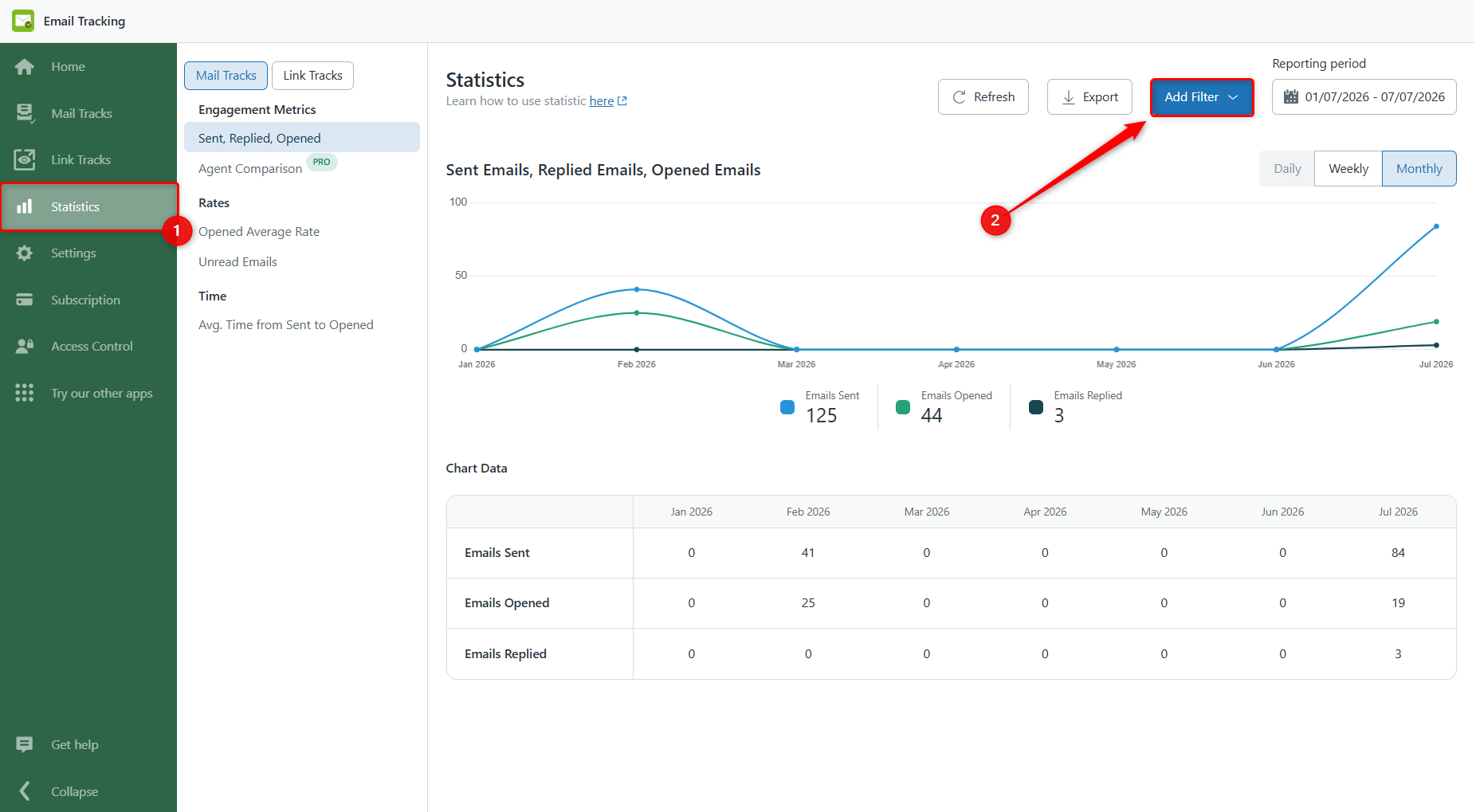
In the Email Tracking app, go to the Statistics page and click Add Filter in the top-right corner.
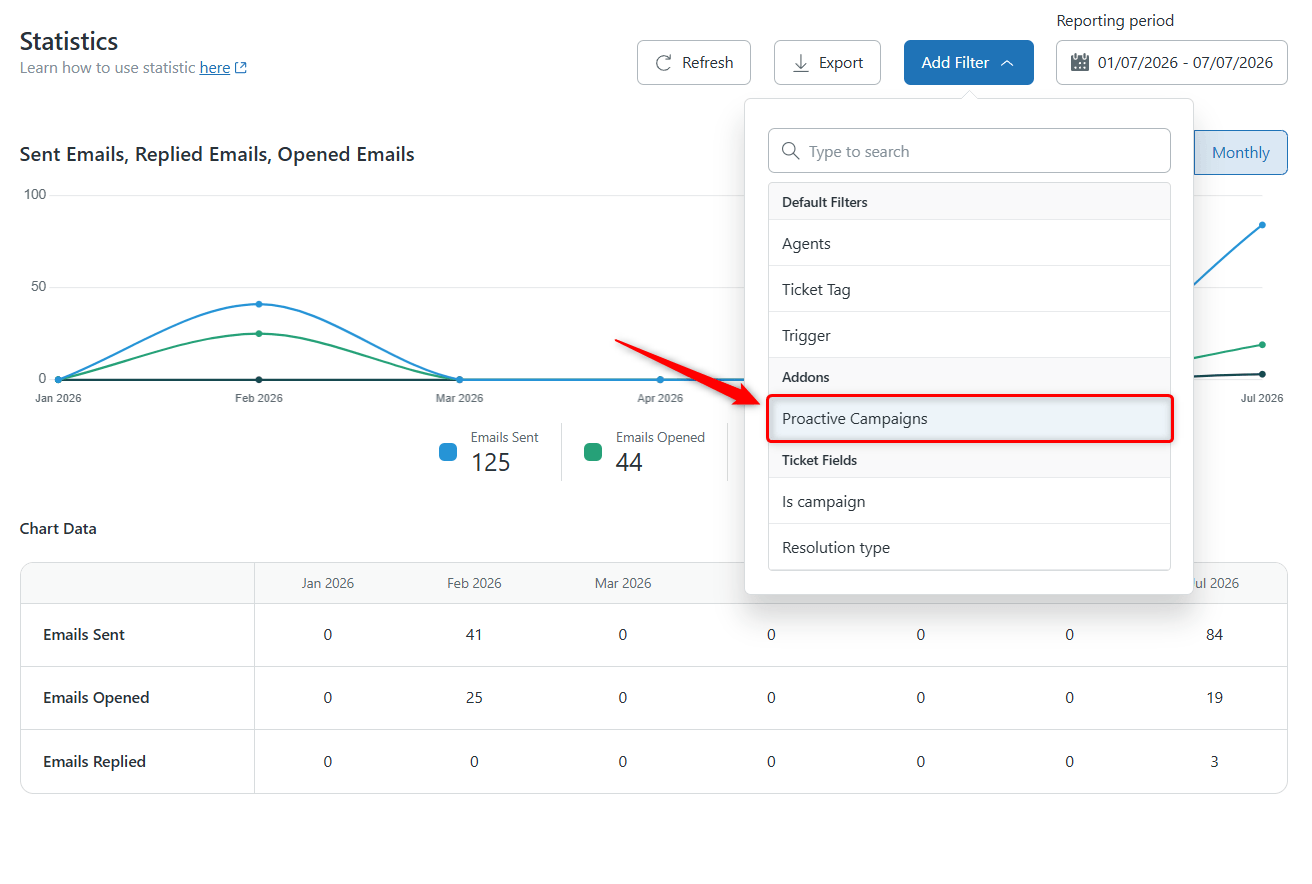
In the Add-ons section, find Proactive Campaigns.
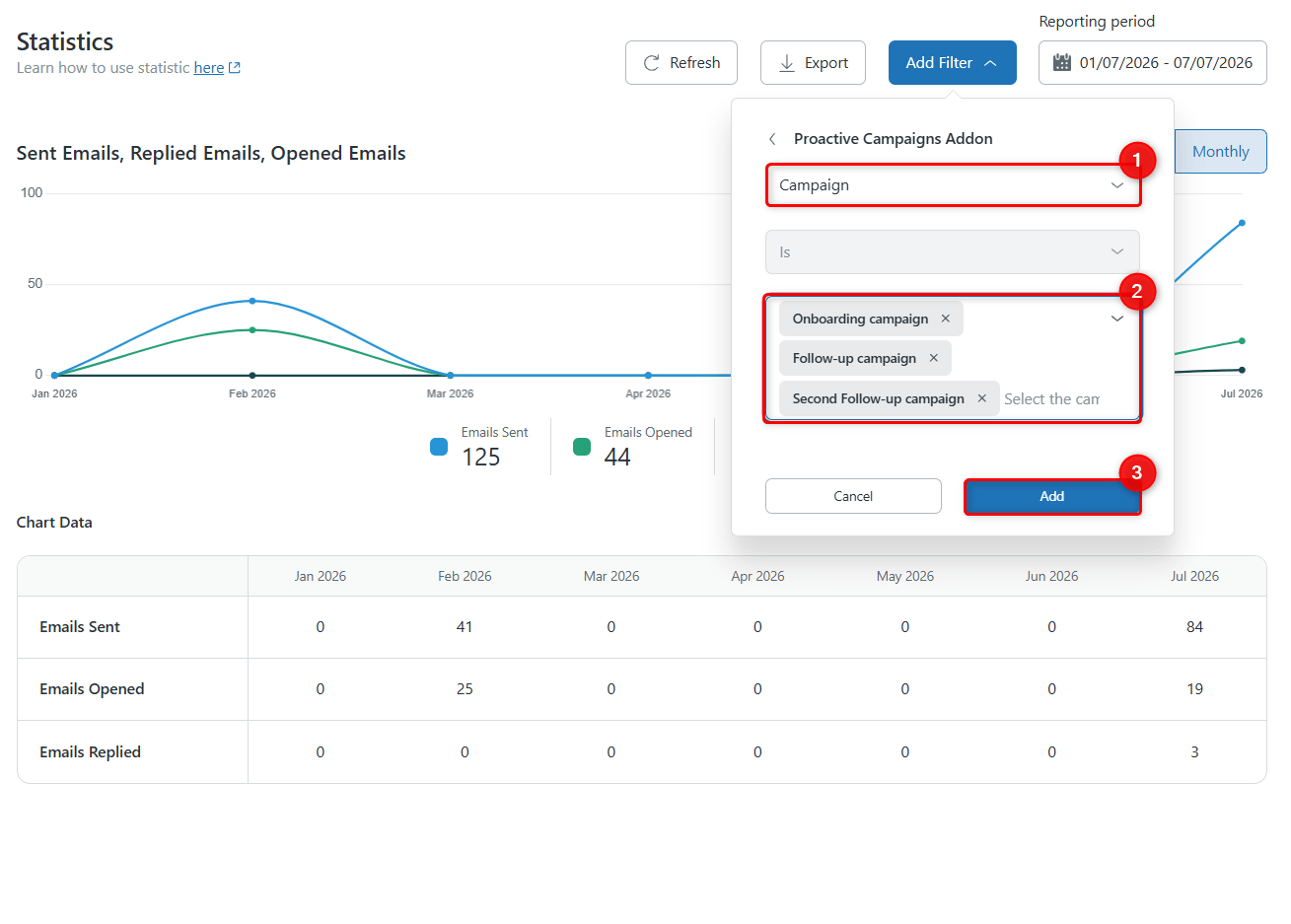
Then select Campaign from the drop-down menu and choose the campaigns you want to compare (up to 5). Click Add.
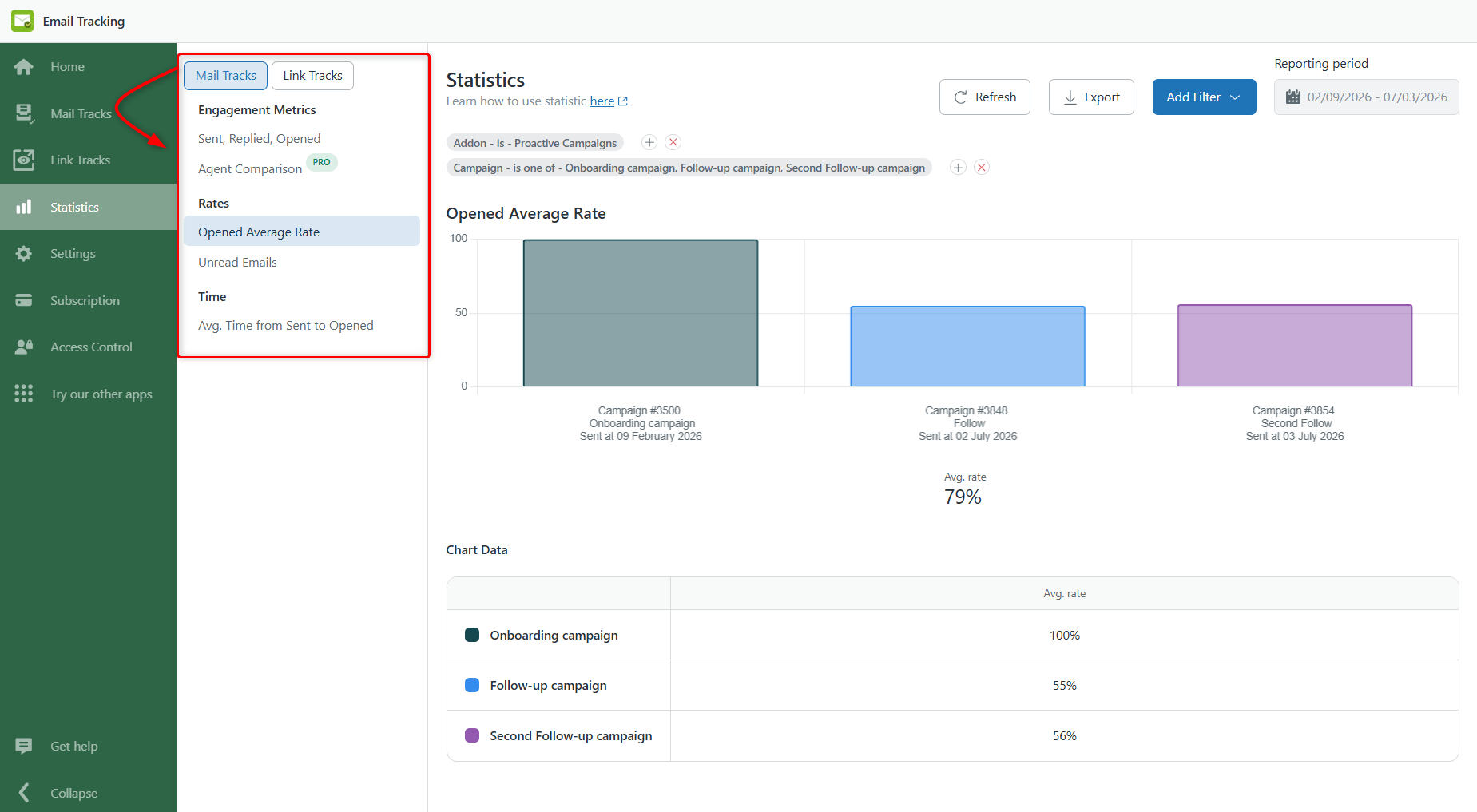
The statistics will update automatically to display data only for the selected campaigns. The charts and table will reflect the selected campaigns, making it easy to compare their performance side by side.
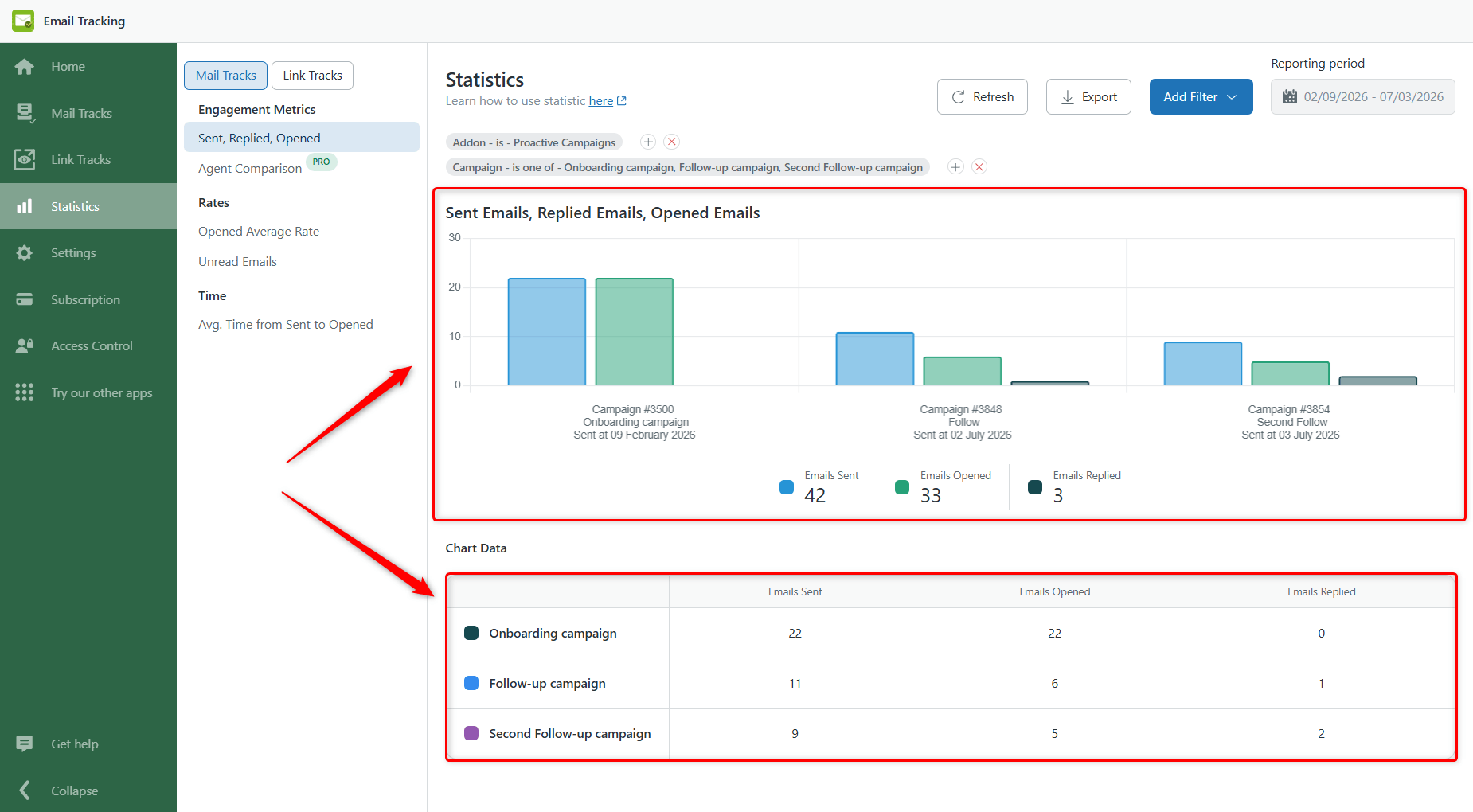
After that, you can switch between other sections in Mail Tracks and Link Tracks for a more detailed comparison. The selected campaign filter will remain applied.
Why Compare Email Campaigns?
Comparing campaigns helps you understand which emails perform best without switching between multiple reports. You can use it to:
- Compare different campaign messages.
- Evaluate campaigns sent to different customer groups.
- Measure the results of campaigns over time.
- Identify trends in opens, clicks, replies, and other engagement metrics.
If you have any questions, feel free to contact us!