Kanban Pro for Zendesk is the latest integration we created at GrowthDot. Due to high demand and the clear benefits of the Kanban format for managing support tickets, we built this app to bring visual clarity, structure, and focus directly into Zendesk.
Kanban Pro helps teams organize ticket flows, improve visibility, and manage workloads more efficiently, all in a simple, intuitive board view.
And this is just the beginning. The app will evolve with your needs, shaped by real customer feedback. So follow all upcoming updates here.
Build Your Own Flow in Kanban Board - Column Customization
We know that one-size-fits-all rarely works for advanced teams. That’s why we’re excited to introduce the biggest workflow enhancement yet to the Kanban Pro app for Zendesk: full control over your Kanban board columns.
For a long time, columns were only the default ticket statuses, which often didn't capture the true complexity of your internal ticket flow. Now, that limitation is gone.
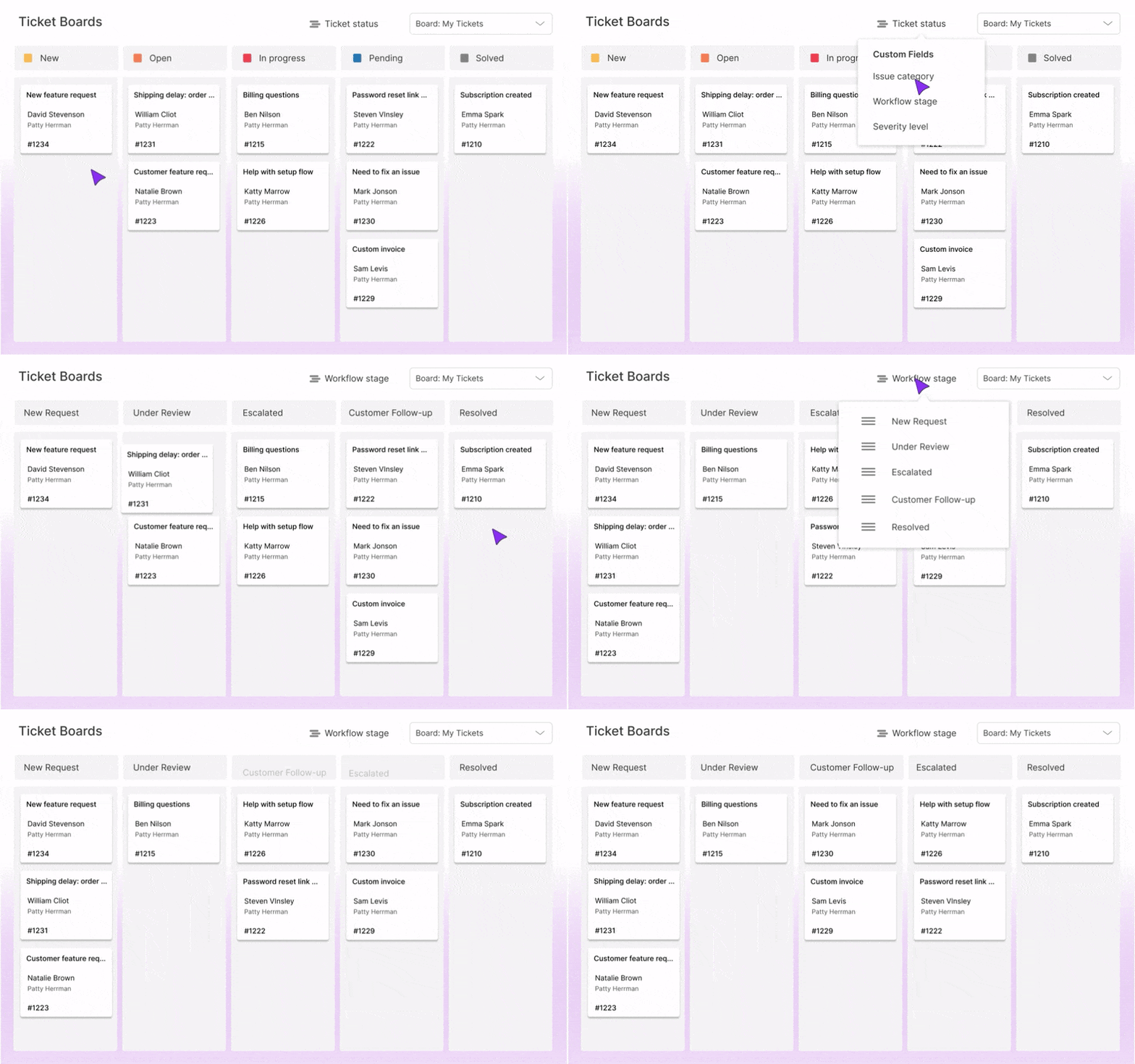
Here’s what’s new:
- Columns based on ticket fields: You can now select any custom ticket field (with a dropdown) to define your columns. Use fields like Internal Stage, Priority Level, or any other metric crucial to your flow.
- Select and reorder columns: You are in command of your board layout. Choose only the relevant columns from your field's values and easily reorder them to match the exact sequence of your ticket flow.
This new level of customization means a clearer, more effective visual management tool. It eliminates confusion and ensures your Kanban board reflects the actual work your team is doing.
Try our other apps
Kanban Pro is just one of GrowthDot’s apps for Zendesk. You can also try Proactive Campaigns to send bulk emails, Email Tracking to show email opens, GDPR Compliance to protect and process customer data, CRM and Deals to manage sales, NPS and Survey to collect feedback, and Video Reply to help resolve issues with customer videos.