Why Your Zendesk Automation Might Not Trigger, and How to Fix It
-
Proactive Campaigns

The customer has reported inconsistent behavior with automations, where they occasionally fail to trigger for all users who meet the defined conditions. As a result, some affected users remain “stuck” in the list because the automation is not running as expected.
The Problem
The automation resumes functioning only after the checkbox condition (as shown in the provided screenshot) is manually toggled several times. Since this manual action doesn’t meet the purpose of automation, the customer is concerned that the issue may be related to how automations interpret or react to the checkbox field type. They are seeking clarification and a permanent resolution to this problem.
The reason for the problem
The automation is currently designed to trigger only when a user tag changes, specifically through the Support User Tags Changed event. As a result, if a new user is created or certain field values are updated without a corresponding change to their tags, the automation does not retrigger. This limitation prevents the process from running automatically when important updates occur outside of tag modifications.
The solution: Just add one more event!
For the correct work of automations, add another tag to Zendesk Webhooks. Here is how to do it:
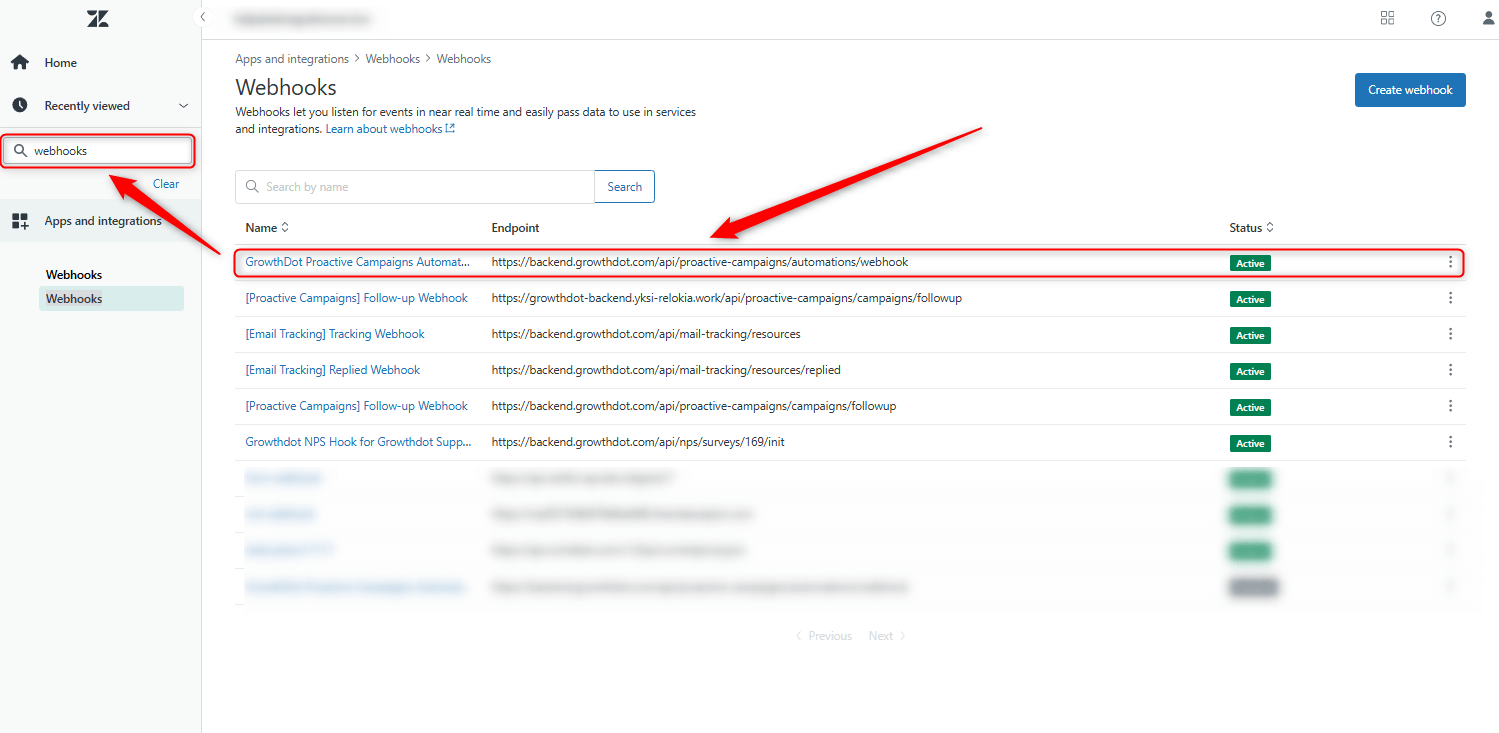
1. Navigate to the Zendesk Admin panel and enter Webhooks in the search bar.
2. Then, select GrowthDot Proactive Campaigns Automations webhook.
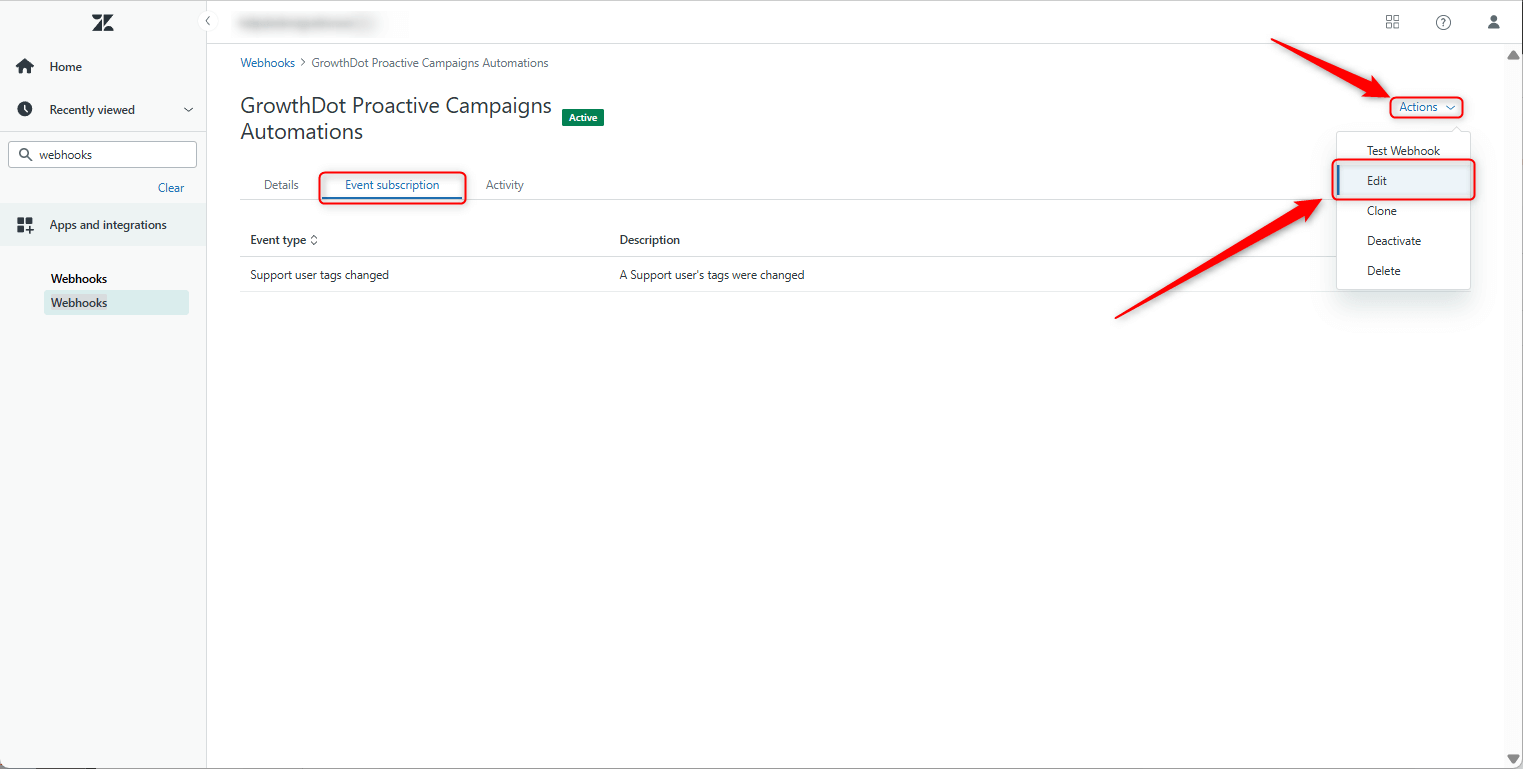
3. Next, select the Event subscription tab, click on the Actions button, and select Edit.
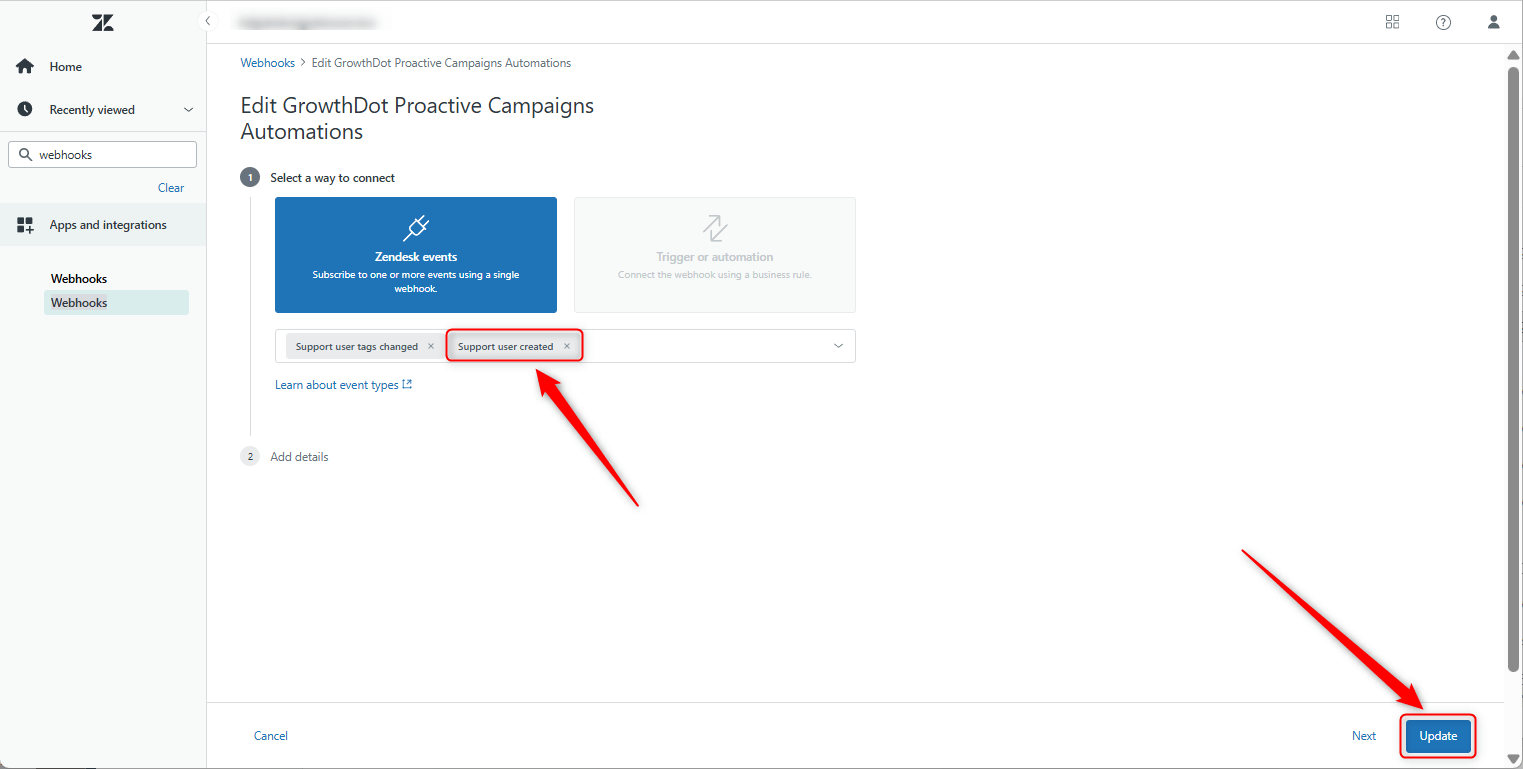
4. Finally, select the Support user created tag and click Update.
The final result
That’s it! Finally, your automation will run for new users who enter the list, without any manual intervention or messy workarounds.
Tip!
A new event, Support User Created, is now supported by Zendesk. Use it to run automations when a new user is created, instead of relying on tag change events. Use it for similar automation cases.



