Data drives decisions, especially in marketing operations. Running proactive campaigns creates tickets, each showing how customers respond. Without easy access to this data, teams spend time piecing information together from multiple sources.
Exporting tickets solves this.
So, in this article, we explain why exporting matters, how it improves reporting and campaign optimization, how it can be done inside the Proactive Campaigns app for Zendesk, and how teams can use the data in practice.
Why Ticket Exporting Matters for Marketing Campaigns
Companies run campaigns to engage customers and track results. If you're working in a helpdesk like Zendesk, each campaign generates tickets that capture responses, unsubscribes, and other interactions.
Manually collecting this data from tickets is slow and can lead to mistakes. Teams may spend hours copying information from different views or tabs, which delays reporting and reduces accuracy.
In fact, research shows that marketers spend 24% of their data-related time collecting data, 22% analyzing it, 20% visualizing it, 19% cleaning it, and 18% presenting it. On average, 63% of this work could be partially or fully automated.
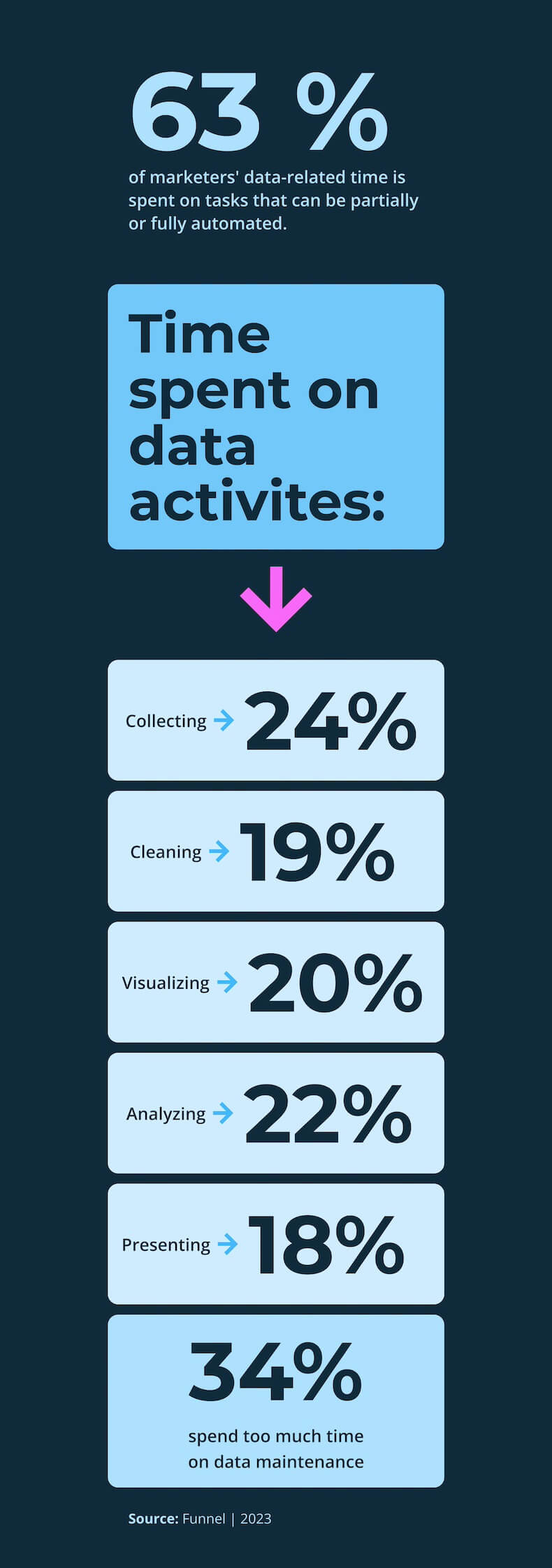
Source: Funnel
How Seamless Data Access Improves Reporting and Optimization
When data is easy to access, reporting and optimization become much more efficient. With exported tickets at their fingertips, marketing teams can:
- Analyze results efficiently by sorting and filtering tickets in a file to quickly see which customers engaged, who unsubscribed, and how responses varied by segment.
- Spot trends and patterns with all the data in one place. For example, teams can see which messaging resonated, which segments responded best, or which times of day generated the most engagement.
- Build accurate reports without the risk of manual mistakes. Exported tickets reduce errors and ensure that performance reports reflect the true results of the campaign.
- Share insights across teams with leadership, product, or customer success teams, providing a single source of truth for collaboration and strategy discussions.
- Optimize campaigns faster with complete data in hand. Teams can immediately adjust targeting, messaging, or timing for future campaigns, instead of waiting for reports to be manually compiled.
Reclaiming the hours previously lost to manual work gives agents space to think strategically. Instead of being bogged down in spreadsheets, they can focus on understanding customer behavior, testing new ideas, and improving campaign results.

Stop manual reporting. Export tickets instantly.
Get free trialIn short, seamless data access turns raw ticket data into insights that drive smarter campaigns and better outcomes.
Real-World Use Cases for Exported Campaign Ticket Data
Let’s talk more practically, about some real ways your team can use exported campaign tickets.
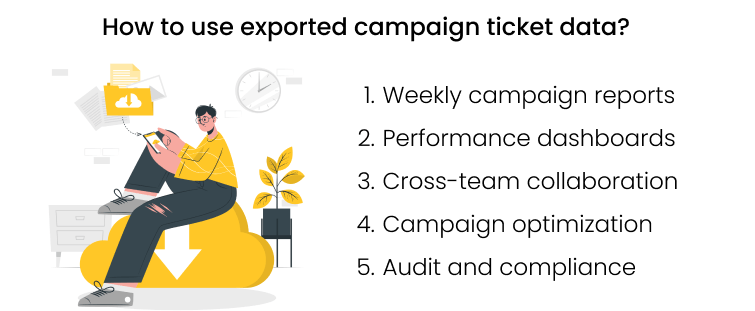
Weekly campaign reports
Marketers can quickly summarize campaign results, including replies, unsubscribes, and engagement metrics. With an export, they no longer need to manually check each ticket. This makes weekly reporting faster and more accurate, giving managers a clear picture of campaign performance.
Performance dashboards
Exported ticket data can be imported into analytics tools or dashboards. Teams can track KPIs over time, monitor trends, and compare results across campaigns. This helps identify what’s working, what needs improvement, and where to focus future efforts.
Cross-team collaboration
Marketing, product, and customer success teams can all work from the same data. Sharing an exported file ensures everyone has access to accurate, up-to-date information. This makes it easier to align on strategy, plan follow-ups, and make decisions together.
Campaign optimization
By analyzing exported tickets, teams can see which messages and segments performed best. They can then adjust the strategy for future campaigns. Over time, this data-driven approach improves engagement and campaign ROI.
Audit and compliance
Exporting tickets also supports internal audits or compliance checks. Teams can provide a complete record of customer interactions without manually piecing data together, saving time and reducing errors.
How to Export Campaign Tickets with Proactive Campaigns for Zendesk
Zendesk is a leading helpdesk platform that helps marketing and support teams manage customer interactions in one place.
The Proactive Campaigns integration for Zendesk lets users reach out to customers proactively (for promotions, surveys, updates, etc.) while automatically creating tickets for every interaction. This ensures all responses are tracked and ready for analysis.
Exporting tickets turns this data into a CSV file that can be analyzed, reported, and shared. And here’s how it works:
1. Open the campaign details page – Go to the sent campaign you want to analyze.
2. Choose the tab to export from – You can select Tickets, Unsubscribed, or Replied tickets depending on your needs.
3. Click Export Tickets – The button is located above the ticket list.
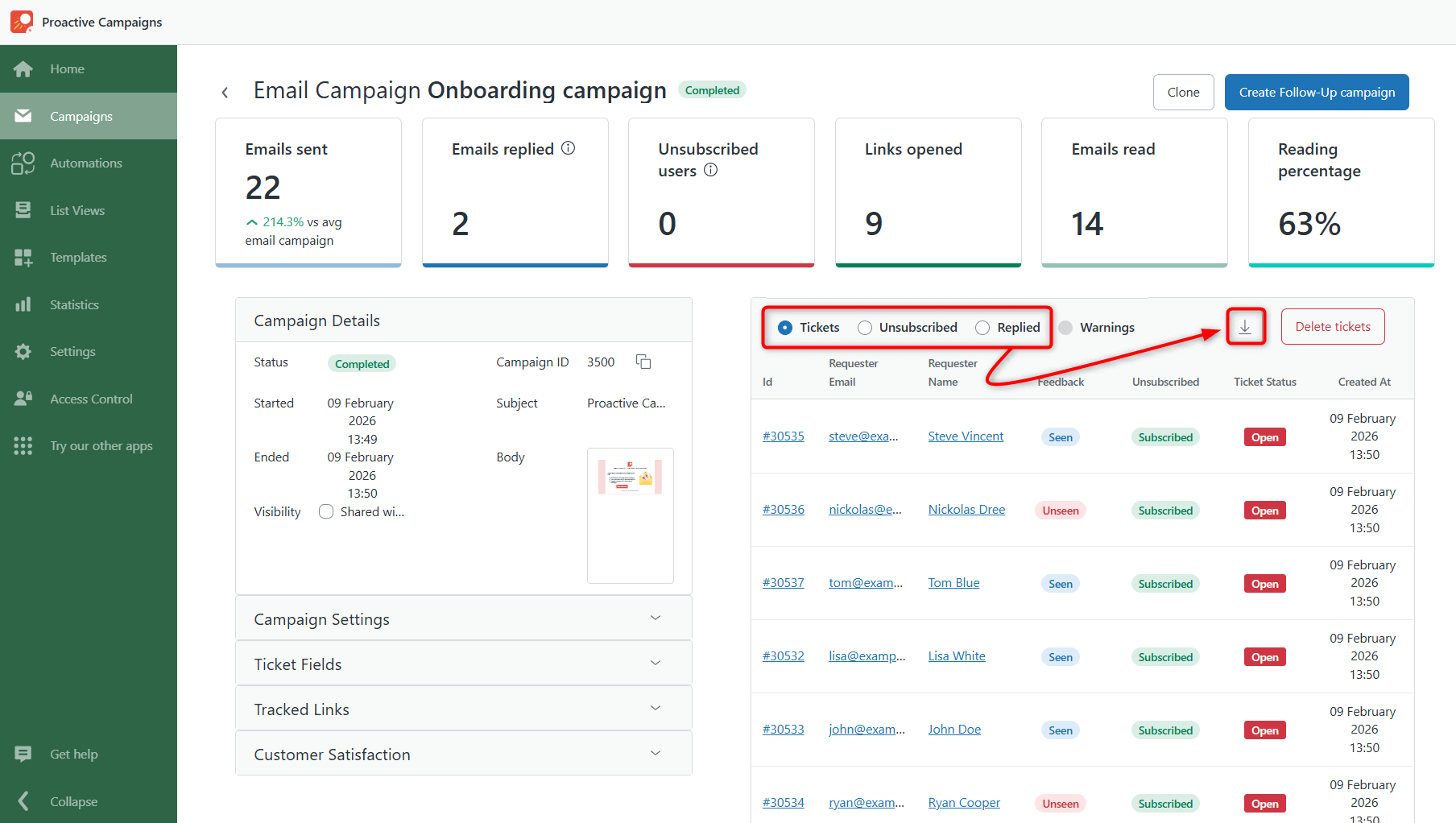
4. Download the CSV file – Your tickets are gathered in a single file, ready for reporting, dashboards, or deeper analysis.
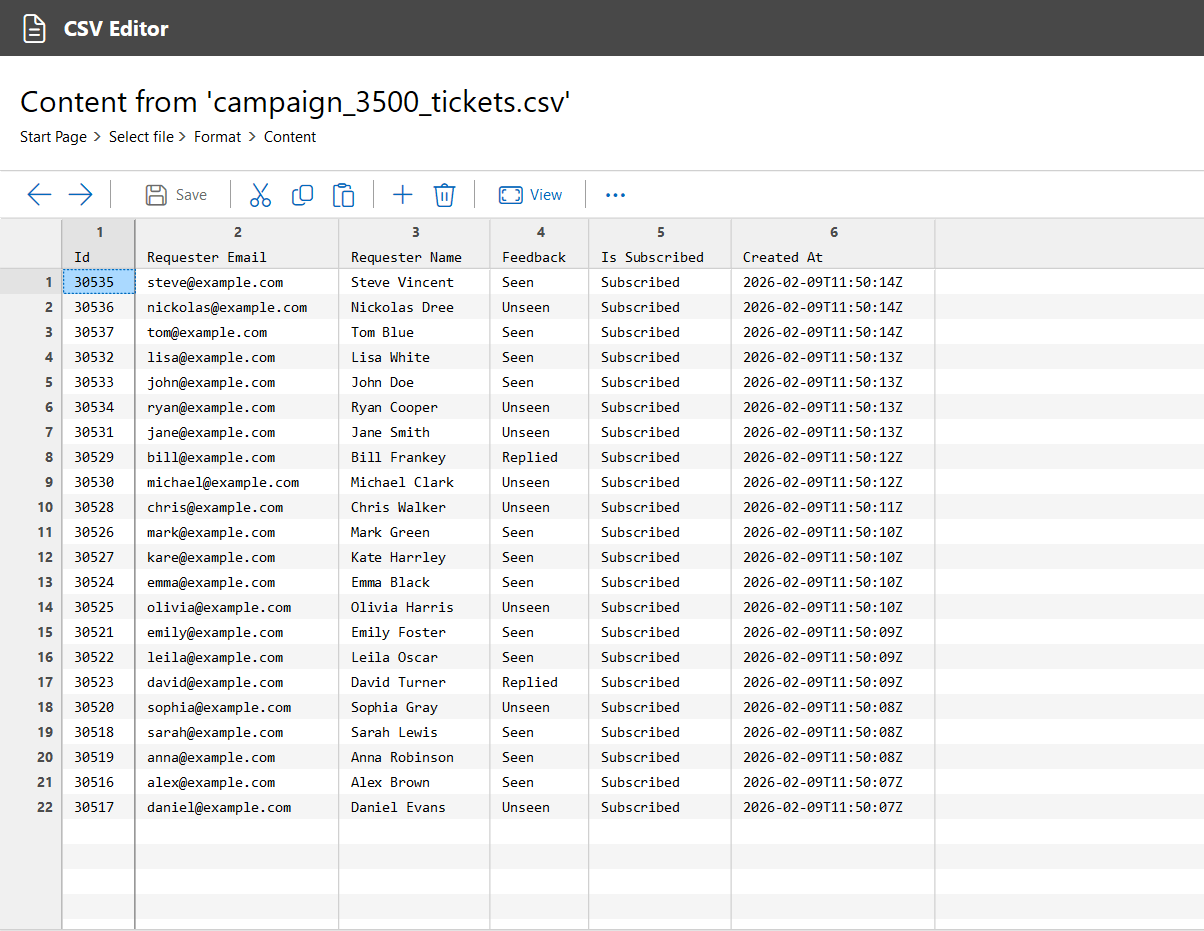
Once exported, the CSV can be shared with stakeholders, imported into analytics tools, or used to generate reports. This lets marketing teams focus on insights, campaign optimization, and better decision-making instead of manual data work.
Conclusion
Exporting tickets from your campaigns turns data that usually sits in Zendesk into something your team can actually use.
By reclaiming hours previously spent on manual data work, marketers can focus on understanding customer behavior, testing new ideas, and improving campaign performance. What used to be a time-consuming administrative task becomes a strategic advantage.
To conclude, seamless access to ticket data through the Proactive Campaigns app for Zendesk helps marketing teams work smarter and make decisions that actually move the needle. Try it now with a free trial period!
FAQs
Why should I export campaign tickets from Zendesk?
Exporting tickets gives your team fast, accurate access to campaign data, reducing manual work, avoiding errors, and enabling data-driven decisions for optimization and reporting.
What types of ticket data can I export in Proactive Campaigns for Zendesk?
You can export all tickets, replied tickets, or unsubscribed tickets. Each export captures customer interactions, responses, and other relevant details for analysis.
How can exported ticket data improve campaign reporting?
Exported tickets let teams sort, filter, and analyze responses, track trends, measure segment performance, and build accurate reports without manual errors.