How to Fix Installation Error for GrowthDot Apps After Previous Uninstall
-
Proactive Campaigns
-
Email Tracking
-
GDPR Compliance
-
Video Reply
-
CRM and Deals for Zendesk
-
NPS and Survey

If you’re trying to start a trial of GrowthDot apps (Proactive Campaigns, Email Tracking, CRM and Deals, Kanban Pro, GDPR Compliance, Video Reply, NPS and Survey) but encounter an installation error, especially when the app was previously installed in your Zendesk account. The issue is usually related to leftover custom fields that weren’t fully removed during the earlier uninstall.
Why This Happens
In some cases, Zendesk does not completely remove all custom fields created by an app when it is uninstalled. As a result, when attempting to reinstall the app, Zendesk detects existing fields with the same identifiers and blocks the installation, triggering an error message. These fields were created by GrowthDot apps but remain in the system even after the app was removed. Let's take a look at how to resolve those issues on the Proactive Campaigns app example.
Solution 1: Delete the Remaining Fields (Recommended)
The simplest and most effective solution is:
1. Identify the custom fields referenced in the error message.

2. Find the User fields tab in Zendesk Admin Center. Delete those fields in your Zendesk Admin Center.
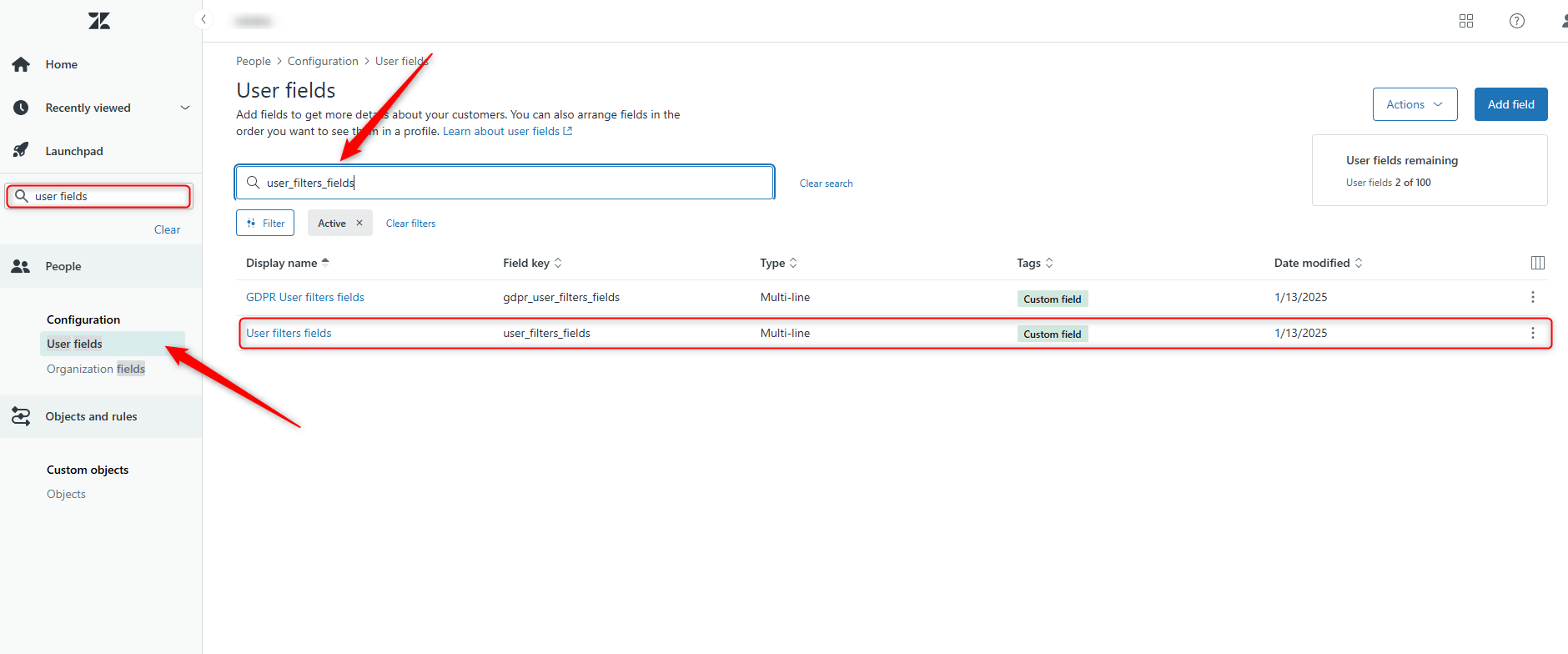
3. Delete those fields in your Zendesk Admin Center.
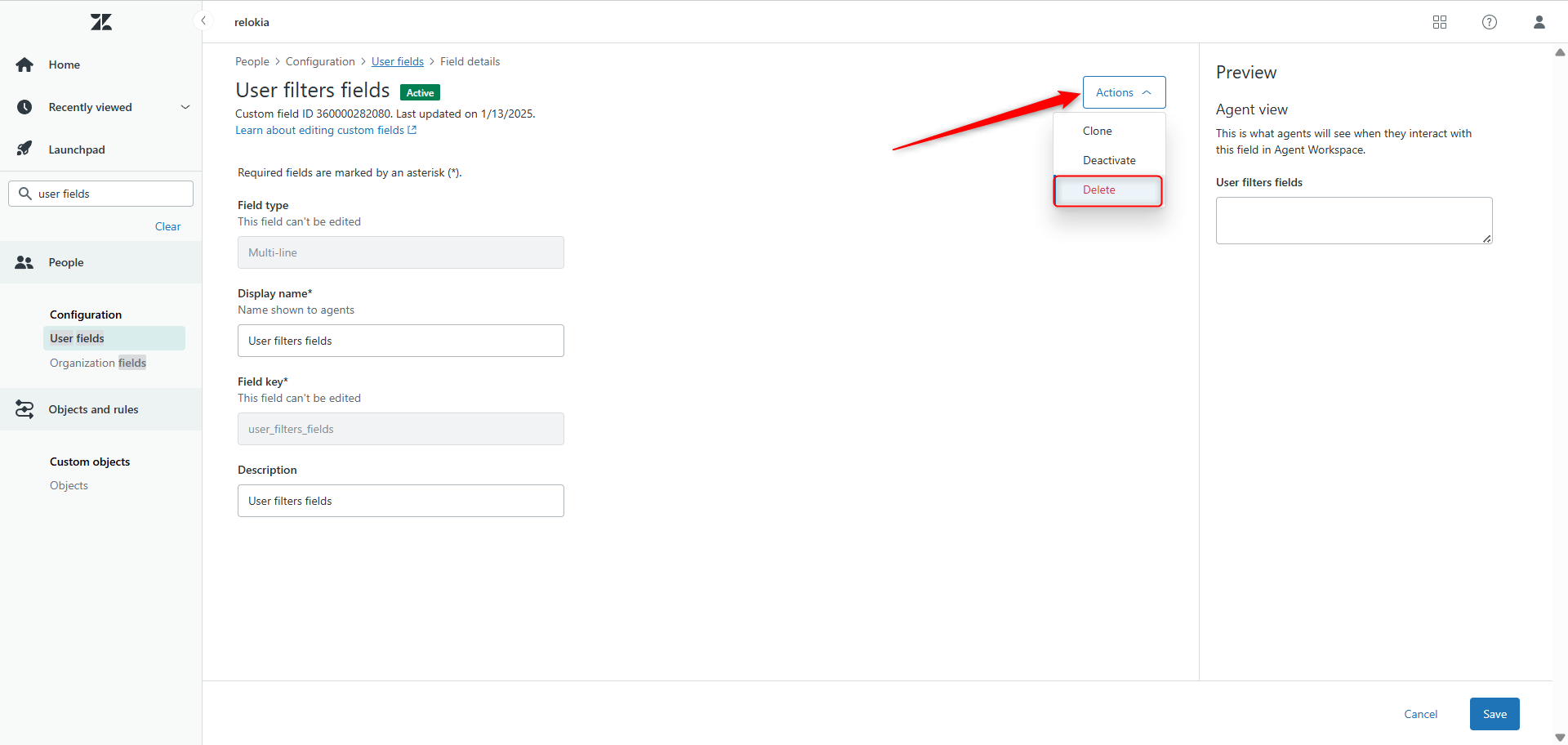
4. Attempt the installation again.
Don't worry about removing these fields; the app will recreate them if needed, so it is safe. Also, the process is quick and straightforward, allowing you to install the app successfully.
What If the Field Is Currently in Use?
In some cases, the remaining field may have been repurposed internally and is now actively used by your team. If deleting it is not an option, there is an alternative.
Solution 2: Install the App as a Private App
If the existing fields cannot be deleted, the app can be installed as a private app instead.
This approach allows avoiding conflicts with previously created fields and completes the installation without disrupting active workflows.
If this option aligns better with your internal processes, the GrowthDot team can assist with the setup and walk you through the steps.
Need Assistance?
We are happy to talk with you if you have any questions or suggestions. So, click here to contact our support team.



